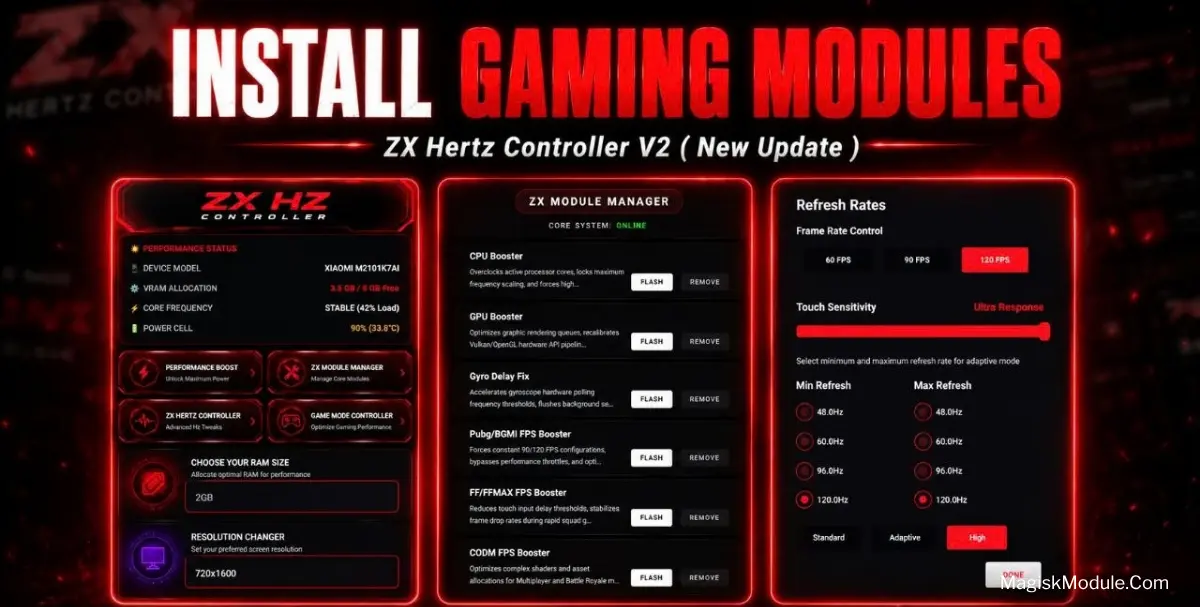
Zx Hertz Controller
Developed by @Zx Tweaks
The Zx Hertz Controller app is a non-root Android utility designed to bypass default system caps and lock display outputs at 90Hz or 120Hz. It functions by forcing high refresh rates across mobile games while simultaneously reducing network latency and improving touch sampling.
I've been running this app on my daily driver to get past the annoying 60-120fps lock in heavy titles like Call of Duty: Mobile and Genshin Impact. By forcing the game rendering engines to sync with the maximum screen refresh rate, it noticeably smoothed out my frame drops during intense multiplayer fights.
Core Features:
- Snappier touch controls that cut down input delay for a noticeably faster on-screen response.
- Forces GPU rendering for portraits and other visual elements, pushing the workload to the graphics processor for better quality.
- Stable frame rates are the primary focus, pushing a consistent FPS boost that holds up even during chaotic in-game combat.
- Drops ping spikes actively while you are engaged in competitive online matchmaking.
- An anti-reset script runs quietly in the background, making sure your applied tweaks actually stay active.
Requirement & Installation
Installation
- Open your Download Foolder.
- Find the Zx Hertz Controller APK file.
- Tap the APK file to install the app.
- Confirm the installation.
Active Shizuku
- Make sure Zx Hertz Controller Tool is installed.
- Turn on Wifi.
- Go to Settings& About Phone.
- Tap Build Number seven times to unlocked Developer Options.
- Then again go to the Shizuku app and tap on Pairing button.
- Click Wireless debugging & Enable Wireless debugging.
- Click Pair device with pairing code.
- Click on "Enter Pairing Code" above and paste the WiFi pairing codes there.
- Once the pairing is successful, open the Shizuku app to grant permissions and activate the Zx Hertz Controller.
My Verdict:
If you own a phone with a high refresh rate display but your games are still locked at 60-120fps, you should be using this. It is a highly practical, no-root tool for gamers tired of unpredictable frame drops and random network lag.