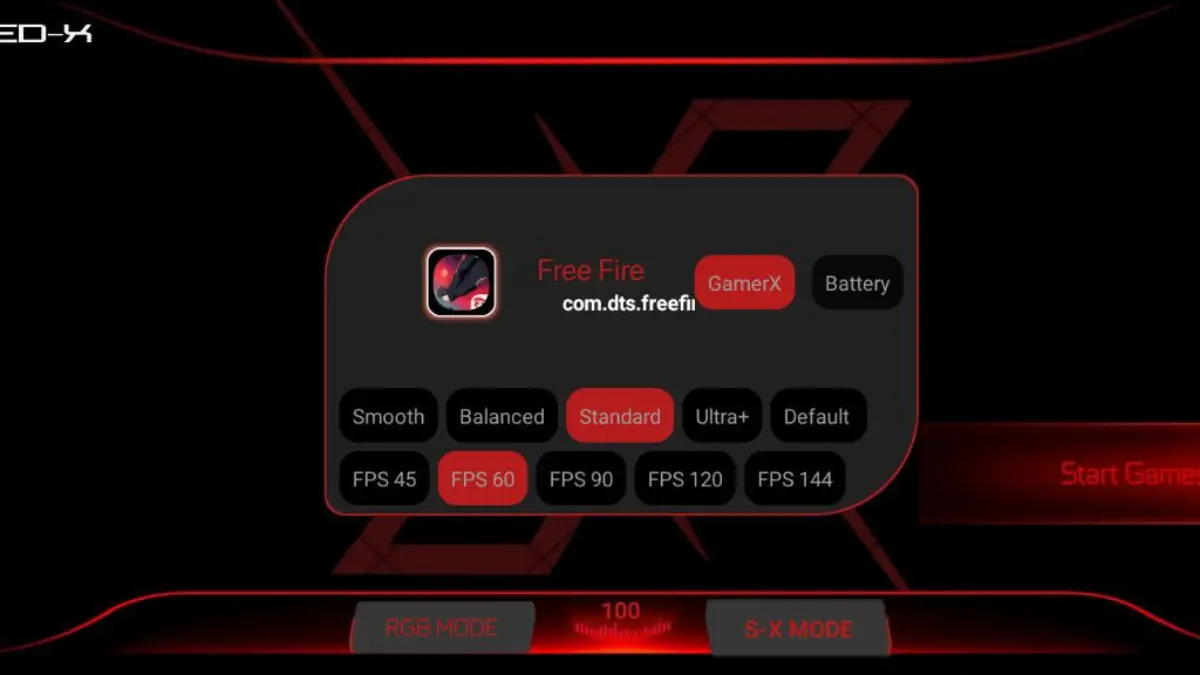
Speed X Game Booster
Developed by @Cherm..sc
We’ve all been let down by slow phones. No one likes lag, but most people hate it more when they need to be quickest of all. A moment of stuttering frame rates, a freeze, and your phone locks up into a sluggish ‘slideshow’ that you can only reset by forcibly throwing your phone into the nearest bin. Thankfully there are apps out there that can serve to improve gaming performance on your phone, and in this case we’re putting Speed X Game Booster through its paces. And you can try it yourself with our working Speed X Game Booster apk.
Features:
-
Higher FPS: Higher FPS boosts to improve game performance by increasing the playable frame rate.
-
Advanced CPU & GPU Optimization: Process Optimization technology optimizes your games by prioritizing them to use 100% of resources available and it automatically closes down and keeps dormant any unnecessary background applications including those sitting on the main gaming seats to avoid conflicts and bottlenecks.
-
Intensive Memory Optimisation & Rendering Issues Fix for High-Intensity Scenes: This change is designed to help to fix scenes with excessive memory usage and will also address any rendering related issues that cause stuttering / lag on the computer.
-
Smart RAM Cleaner: Clear RAM and optimize your game performance to achieve the highest level of entertainment.
-
Network Optimisation: Helps to stabilise ping for online gaming and should reduce the amount of ‘reconnecting’ messages.
-
Battery Efficient: Try to strike a balance between performance and power efficiency and test the laptop with a real-world battery charge, i.e. not dying after 10 minutes.
-
Thermal Control: Prevents frame rate capping caused by system overheating.
-
One-Tap Acceleration: Quick boost button for the person that needs everything going on at once.
Requirements & Installation
Requirement
Speed X Game Booster
Shizuku app
Active Shizuku
- Make sure Speed X Game Booster is installed.
- Turn on Wifi
- Go to Settings & About Phone.
- Tap Build Number seven times to unlocked Developer Options.
- Then again go to the Shizuku app and tap on Pairing button.
- Click Wireless debugging & Enable Wireless debugging.
- Click Pair device with pairing code.
- Click on "Enter Pairing Code" above and paste the WiFi pairing codes there.
- Once the pairing is successful, open the Shizuku app to grant permissions and activate the Speed X Game Booster.
Installation
- Open your device's file manager
- Find the APK file
- Tap the APK file to install the app
- Confirm the installation
I seen this for older Androids but decided to try it out on my S9. I dont really see much of a graphical improvement but the consistency it provided was enough to keep me from rage quitting during frustrating times so I dont have to deinstall the game. It ran quietly in the background and handled what it was supposed to do during the monotonous parts of the game.
This software isn’t a substitute for a hardware upgrade on entry-level handsets but on devices that are quite capable but don’t quite live up to their potential when it comes to playing games, it will improve the experience by tuning various settings and make better use of your phone’s capabilities.
Speed X is a suite of mobile gaming tools with the stated goal of ensuring that your mobile gaming experience is as smooth as possible. Could this be the answer to your mobile gaming blues? We’re about to find out.