| App Name | Eletrons Game Turbo |
|---|---|
| Size | 17MB |
| Version | v3.0 |
| Category | No Root |
| Android requirement | + 9.0+ |
| Published By | Zx Tweaks |
| Rating | 4.9 / 5 |
| Support | All Android |
Get Link
Step-by-Step Installation
- How To Install:
- Enable “Unknown sources” in your device’s settings
- Open your device’s file manager
- Find the APK file
- Tap the APK file to install the app
- Confirm the installation
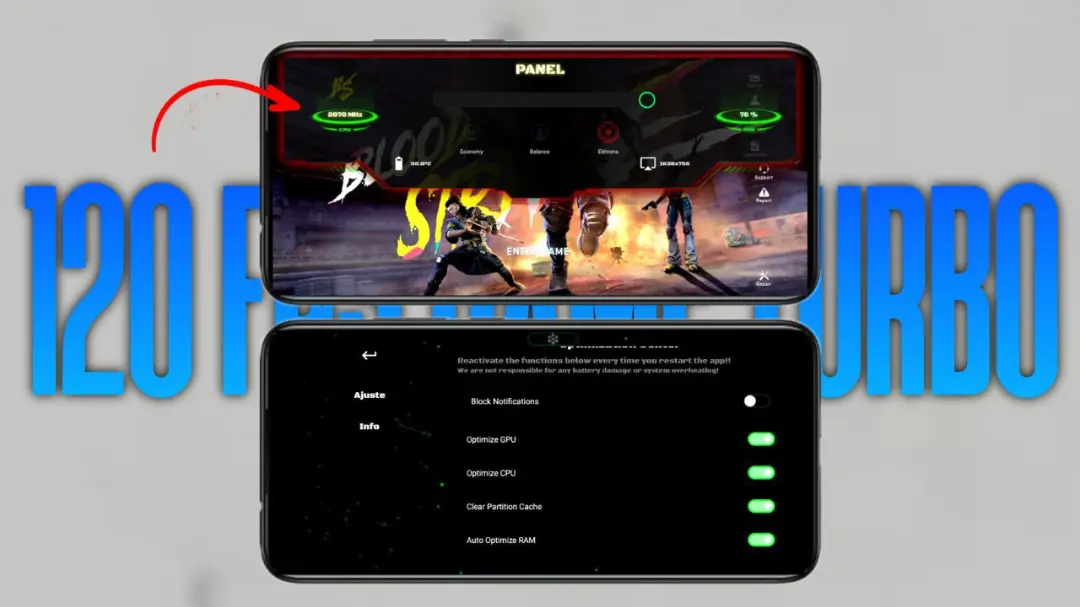
We’ve all been there: right in the running match and the game suddenly freezes. To avoid this from happening, I tried the Android Game Turbo app that is now available as a trial version. It is not just another power-up, because this Android App greatly optimizes your smartphone for games. The app works like a team of five specialized workers (driver’s, mechanics, etc.) that are busy fine-tuning your Android Game for maximum speed.
Features
- Real-time CPU & GPU Boost: Gives your phone’s brain and graphics a rapid boost – allowing your applications to run faster and your battery to last longer.
- Seriously, One Tap Lag Reduction: Seriously, just one tap of a button clears all of the digital junk out of RAM, eliminating Lag caused by old applications lingering around.
- Smart Network Optimization: No Wi-Fi spikes here. Play smoothly with optimized Ping. Say goodbye to that one guy who suddenly teleports across the map.
- In-Game Floating Toolbox: Quickly modify game settings within the game itself by utilizing the in-game floating toolbox, all accessible right on the screen without having to exit out. A floating bubble on the screen gives you direct access to numerous settings. So handy.
- Advanced Cooling Control: Our technology ensures your phone doesn’t feel like a hot potato and allows for extended gaming with an intelligent cooling system that helps prevent throttling.
- Custom Game Modes: Choose maximum performance for ranked matches or a battery-saver mode for casual gameplay.
- App Cleaner & Memory Boost – Clean your phone in a matter of seconds and get the most out of RAM to play your games faster and smoother.
- FPS Stabilizer: This feature prevents sudden FPS drops, which is especially useful during intense firefights and will keep even the most resource-intensive game running smoothly.
Seriously automated game frame capture and best fit resizing. The software does an excellent job of auto-optimizing – I didn’t really notice it running in the background, which is how I like it. Just start your games and it will do the rest!