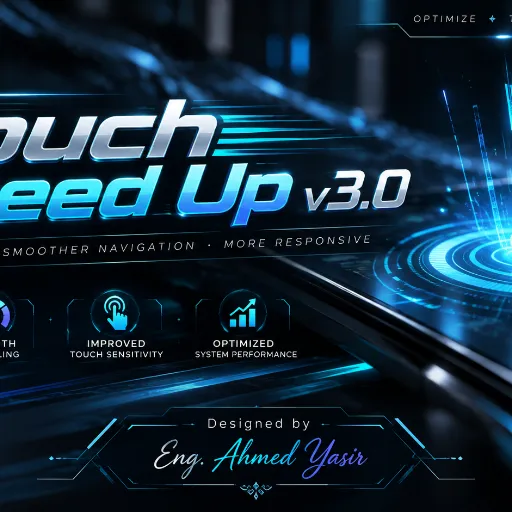
⚡ TOUCH SPEED UP v3.1
🚀 Advanced Android Touch Optimization Engine
🎮 Smarter Touch Control • Smoother Gaming • Intelligent Optimization
👑 Designed & Developed by Eng. Ahmed Yasir
🌟 What is Touch Speed Up?
Touch Speed Up v3.1 is an advanced, lightweight, and device-aware Android touch optimization module, designed primarily for KernelSU Next.
The module aims to improve the touch experience on compatible Android devices by intelligently managing supported touch-driver features while prioritizing system stability, safety, and efficiency.
Unlike traditional performance modules that apply aggressive system-wide modifications, Touch Speed Up uses a carefully controlled optimization approach. It detects supported touch interfaces, provides multiple performance profiles, and applies only verified adjustments compatible with the device.
Whether you're a competitive mobile gamer or an everyday Android user, Touch Speed Up offers a customizable touch-management experience.
⚡ Touch the Difference. Feel the Control.
💎 Key Features
⚡ 1. Smart Touch Optimization
- Device-aware touch configuration.
- Automatic detection of supported touch interfaces.
- Optimized touch-driver gaming mode on compatible devices.
- No unnecessary system-wide modifications.
- Safe fallback for unsupported devices.
🎮 2. Four Intelligent Performance Profiles
Choose the profile that matches your needs:
| Profile | Description |
|---|
| 🎮 Gaming Mode | Activates the supported touch-driver game switch for gaming sessions. |
| ⚖️ Balanced Mode | Maintains the original touch configuration for everyday use. |
| 🔋 Battery Mode | Disables the supported game switch when available, without forcing aggressive performance settings. |
| 🤖 Auto Mode | Automatically manages Gaming Mode based on your selected games. |
Each profile is designed to provide flexibility without unnecessarily compromising system stability.
🧠 3. Intelligent Auto Mode
- Detects selected foreground games.
- Automatically activates the supported gaming touch configuration.
- Restores the original configuration when appropriate.
- Customizable game package allowlist.
- Periodic monitoring designed to minimize unnecessary processing.
🎨 4. Premium WebUI Dashboard
Experience a modern, beautifully designed control interface featuring:
- Futuristic gaming-inspired visual design.
- Custom professional banner.
- Interactive performance profile selection.
- Engine ON/OFF control.
- Real-time configuration status.
- Device and driver compatibility information.
- Game management tools.
- Diagnostic information and event logs.
🔘 5. Smart Action Button
Control the optimization engine directly from KernelSU Next.
- One press: Disable the optimization engine.
- Press again: Re-enable the engine.
- Automatically restores the original touch-driver setting when disabling.
- Designed for convenient control without uninstalling the module.
Note: The Action button controls the optimization engine, not the KernelSU Next module-manager enable/disable switch.
🔊 6. Interactive Installation
Enjoy a customized installation process with hardware volume-button navigation.
- Volume Up: Navigate between available profiles.
- Volume Down: Confirm your selection.
- Select Gaming, Balanced, Battery, or Auto during installation.
- Your selected profile is saved for the initial configuration.
- Safe fallback to Balanced Mode if volume-button interaction is unavailable.
🛡️ 7. Safety & Stability First
Touch Speed Up prioritizes device stability.
- No random system property modifications.
- No aggressive CPU frequency manipulation.
- No SELinux policy modifications.
- No forced input-device permission changes.
- No unnecessary
/system modifications.
- Captures the original supported driver value before changing it.
- Restores the original configuration when appropriate.
- Avoids modifying unrecognized touch interfaces.
⚙️ 8. Lightweight Native Engine
- Native ARM64 touch-controller component.
- Minimal background processing.
- Controlled driver access.
- Device compatibility verification.
- Driver readback validation.
- Persistent configuration and diagnostic logging.
📱 Compatibility
- Primary Root Manager: KernelSU Next
- Supported Architecture: ARM64 for native driver control
- Platform: Rooted Android devices with compatible touch-driver interfaces.
- Driver Support: Currently focused on verified Oplus-style touch game-switch interfaces found on certain compatible devices.
Important: The module does not require a system-overlay metamodule for its script-based functionality. The dashboard may operate on unsupported devices, but actual touch-driver optimization requires a recognized and accessible interface.
📦 Installation Guide
- Download the latest Touch Speed Up v3.1 ZIP package.
- Open the KernelSU Next application.
- Navigate to Modules.
- Tap the + button and select the ZIP file.
- Follow the interactive installation instructions.
- Select your preferred performance profile using the volume buttons, if supported.
- Wait for the installation to finish.
- Reboot your Android device.
- Open the module's WebUI to customize your experience.
✅ Installation Complete — Touch Speed Up is ready to configure!
🔥 Why Choose Touch Speed Up?
- ✅ Intelligent, device-aware optimization
- ✅ Gaming-focused touch configuration
- ✅ Four customizable performance profiles
- ✅ Premium interactive WebUI
- ✅ Convenient Action Button control
- ✅ Interactive volume-key installer
- ✅ Automatic profile management
- ✅ Original configuration restoration
- ✅ Lightweight ARM64 native component
- ✅ KernelSU Next integration
- ✅ Safety-focused optimization philosophy
📊 Performance & Technical Notes
Touch performance depends on multiple factors, including:
- Touchscreen hardware and sampling rate.
- Touch-driver capabilities.
- Android firmware and kernel configuration.
- Display refresh rate.
- Game engine and system workload.
Disclaimer: Touch Speed Up does not claim to eliminate input latency or guarantee specific FPS, accuracy, battery-life, or touch-response improvements.
Actual optimization benefits depend on hardware compatibility and should be verified through real-device testing. The module is designed to provide controlled optimization rather than unrealistic performance promises.
👑 Developer & Credits
- ✦ PROJECT NAME: Touch Speed Up
- ✦ VERSION: v3.1
- ✦ PLATFORM: Android / KernelSU Next
- ✦ CATEGORY: Touch Optimization & Gaming Utilities
- ✦ DESIGNER & DEVELOPER:
👑 Eng. Ahmed Yasir 👑
Crafted with passion for Android customization, gaming performance, and intelligent system optimization.
💙 Support the Project
If you enjoy Touch Speed Up, consider giving this repository a ⭐ star on GitHub. Your support helps motivate future improvements, expanded device compatibility, and new features.
⚡ TOUCH SPEED UP v3.1
🎮 TOUCH THE DIFFERENCE.
🚀 EXPERIENCE SMARTER CONTROL.
© Eng. Ahmed Yasir — Designed for a Better Android Experience.