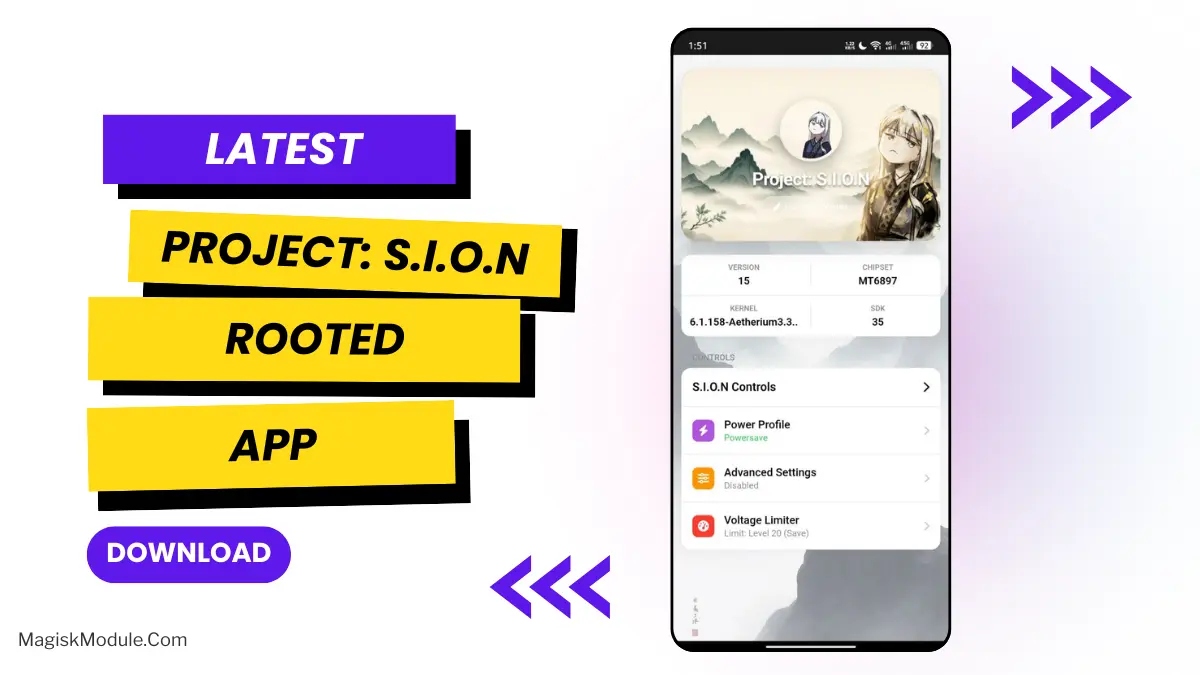
| App Name | Project: S.I.O.N |
|---|---|
| Size | 413KB |
| Version | v1.2 |
| Category | Magisk Modules |
| Android requirement | + 6.0 |
| Published By | kaminarich |
| Rating | 4.9 / 5 |
| Support | Universal MediaTek |
Get Link
Step-by-Step Installation
- How To Install:
- Enable “Unknown sources” in your device’s settings
- Open your device’s file manager
- Find the APK file
- Tap the APK file to install the app
- Confirm the installation
Has the GPU in your phone ever seemed either underworked or overly exerted for the tasks it is undertaking? That was how I saw it. On my Transsion rooted Android smartphone, I had almost no control over my phone’s GPU and associated battery consumption, largely because I could not tweak any of the parameters. I recently managed to get my hands on the very first public release of the S.I.O.N app. This was built for rooted MediaTek hardware, specifically to offer choices in the way the GPUs of the SoC process graphics. I tried it on my phone, which is rooted with Android 9 on a SoC from MediaTek. The first results after installing S.I.O.N are truly amazing, offering much better options for the balance between performance and battery life on my phone.
This isn’t a simple mod. S.I.O.N goes straight to hardware level. You give Magisk Manager, KSU, APatch or any other root permission and – BOOM – you are in charge of your GPU.
Here’s what you can actually do with it:
- Scale the Interface for GPU OPP Nodes.
- Calibrate GPU voltage levels, pin frequency, and maximize power efficiency.
- Customize VCORE Voltage for Performance or Battery Life (if applicable to your chip)
- Control GPU Frequencies & Voltage directly for true efficiency (Performance or Powersave mode).
- Auto-apply all your fine-tuning on boot.
- Switch between handy PowerSave, Balance & Performance presets.
- And more features as the project evolves.
This thing fixed lag in one heavy game while keeping my phone from cooking me. The “Balance” setting is now my default and all is well – a smooth experience without complaints of drain by noon. This thing is freakin’ awesome but a word of warning – use with caution. Experimenting with voltage levels takes knowledge of what to do and what not to do, and stability isn’t always a given.
Got a rooted Transsion MediaTek device? Want to be a bit more adventurous than what your average app offers? You might be interested in this thing called Project S.I.O.N. It lets you be in control.