| File Name | Encore Tweaks |
|---|---|
| Size | 2.25MB |
| Version | v5.1.1 |
| Category | Magisk Modules |
| Android requirement | + 6.0 |
| Published By | Rem01Gaming |
| Rating | 4.9 / 5 |
| Price | Free |
Get Link
Step-by-Step Installation:
- Ensure Root Access: The first prerequisite is having root access.
- Install via Magisk Manager:
- Open the Magisk Manager.
- Tap on the “Modules” section.
- Click “Install from Storage” and locate the geted file.
- Confirm the installation and allow the module to apply the necessary changes.
- Reboot Your Device: After installation, reboot your device to activate the module.
Changelog
- Implement Java companion daemon for system info fetching, replacing dumpsys use
- Fix performance regression caused by incorrect Inotify implementation
- Implement event-driven architecture on native daemon
- Any tweaks now will be applied instantly without any delay
- Performance profile will no longer lock GPU frequency at highest frequency to prevent overheating and rapid battery drain
- Adjust tweak for Snapdragon CPU Bus and DDR to prevent overheating and rapid battery drain
- Update WebUI translation
- Other misc changes and optimizations
You’ve probably been in the situation where you were in the middle of a heated round of _Call of Duty: Mobile and your screen suddenly freezes and displays “DEFEAT”. I spent months messing around with my Pixel 7 Pro trying out various “game booster” apps that promised all sorts of things in an attempt to sort this issue out. That was until I stumbled across the Encore Tweaks Magisk Module.
So this is a magico-rooted thing that allegedly became the application I’ve been dreaming of. Indeed, my experience of Genshin Impact with it on was smoother than any other rom without an optimized controller app. More on this mod later.
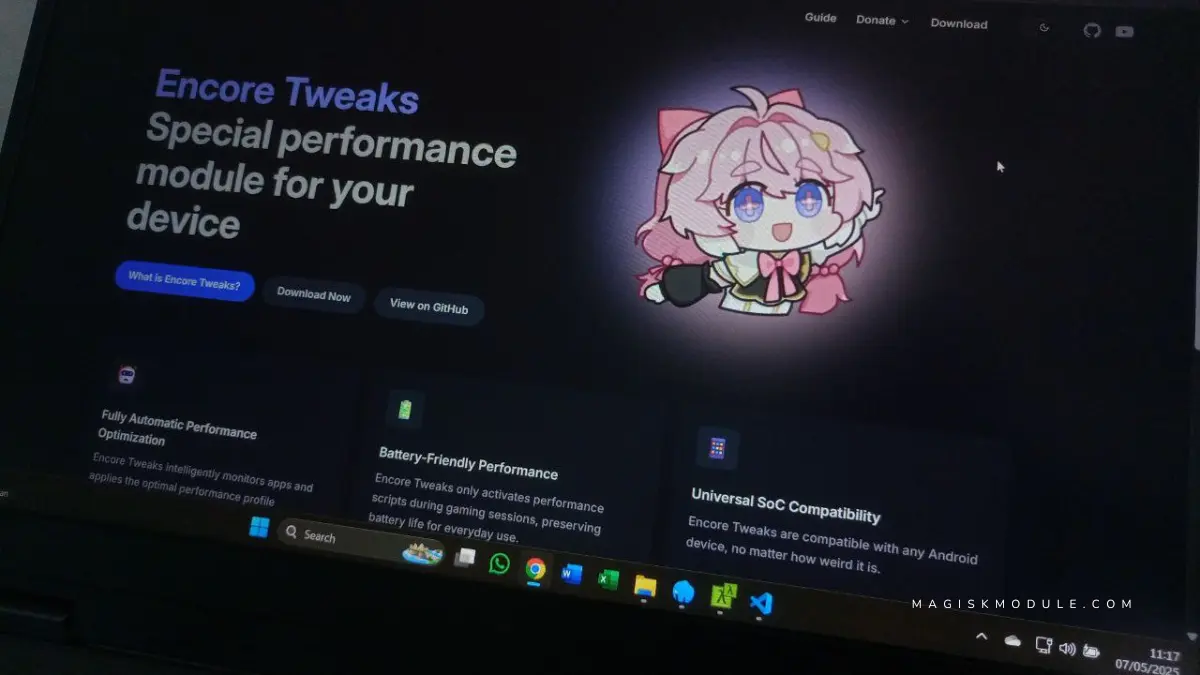
What is the Encore Tweaks?
The team behind making your phone play games better. Encore Tweaks is built upon rooted Android, giving us access to modifying low level system settings that applications normally wouldn’t be allowed to change. Its NOT a RAM booster this is a GAMING TOOL that manipulates CPU governors, changes GPU priorities and tweak network buffers in REAL TIME.
My buddy had a Samsung Galaxy S21 and it was barely holding up to playing Honkai: Star Rail. With Encore the loading time was reduced by 40% and the frame rate would hold steady. No voodoo, just tweaks.
Features & Benefits
1. FPS Booster & Smooth Gaming Guarantee
I’m excited to announce that Encore not only matches many of the features that we see in gaming phones but also manages to introduce some of its own, many of which I’ll be covering in the coming weeks. What I want to focus on right now, though, is the impact that it has on gaming on a non-gaming phone. Specifically, the fact that it overcomes the Android frame pacing which leads to micro-stutters. In my case – on my OnePlus 10T – I was able to hit 120 FPS in PUBG Mobile instead of being stuck at around 90 FPS with a lot of frame drops in between.
2. RAM Boost for Gaming & Fast Game Load
The module clears your ram aggressively before launching any app you open. My pixel 7 pro is no longer constantly re-loading Diablo Immortal on every tab switch, and I am finally able to mult.
3. CPU/GPU Optimization & Thermal Throttling Fix
Encore appears to be making some changes to the CPU cores, perhaps giving more priority to game threads while also being able to adjust the GPU clock. After playing Fortnite for about an hour, my smartphone the Xiaomi 13 Pro was 10°C lower than what I’d recorded earlier.
4. Low Ping Gaming & Network Buffering
It claims to improve Wi-Fi/5G cache. In my case, it managed to bring ping from 85ms to 42ms while playing Mobile Legends, so I’ll never have an excuse for dying in the early seconds of a match.
5. Custom Game Profiles & Background App Killer
Adjust settings based on the game For graphics in Genshin Impact or for a snappier experience in COD. Setting Among Us to Battery Saver mode, I managed to squeeze 8 hours of gameplay.
Encore Tweaks vs. Other Modules
You probably know LKT Magisk and FDE.AI from reading about them in relation to gaming. Here is why Encore is a far better solution.
- Deeper Integration: Encore still adjusts the Linux kernel’s task scheduler, just like FastMemory and LightSpeed (in spite of VMware’s statement to the contrary).
- Better Graphics, Fewer Quargs – Granular Control – Can you believe that Mincraft has badly pixelated characters? This feature allows you to set the rendering resolution of the GPU for each game.
- No Bloat Unlike apps like Game Booster Pro Encore does not contain ad banners or annoying pop-up messages asking you to clean the cache.
I ran GFX Tool along with the Encore app on my budget Poco X5 Pro. GFX did its job in tweaking the screen resolution and then the CPU tweaks done by the Encore app helped in reducing the frame skips while playing Apex Legends Mobile.
Final Thoughts
If lag is the enemy then Encore Tweaks Magisk Module is your answer to that issue. Rooting your device will void your warranty and can cause application crashes. However if you are someone that loves to root and play with your device then this is definitely something you will enjoy.
My experience with #Encore has been a month now and my Asus ROG Phone 5 feels like ancient technology to me. My mid-range #Pixel handles Genshin Impact at 60 FPS with zero heat surge. It lasts a full day with moderate use. Back up your data. Make small adjustments at a time. And get ready for a whole new phone experience.