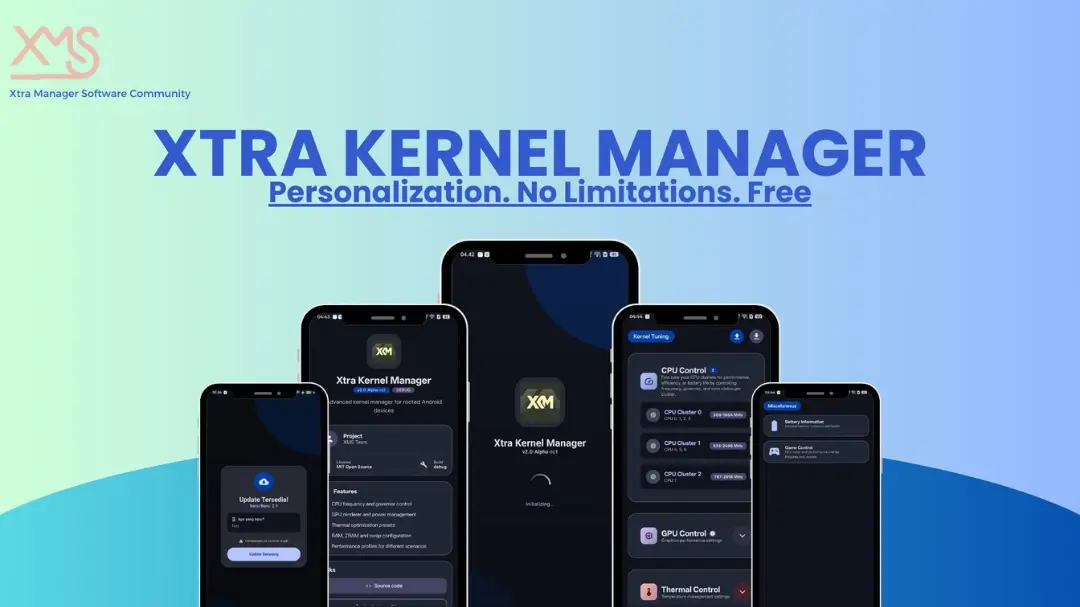
| App Name | Kernel Manager |
|---|---|
| Size | 18.4MB |
| Version | v3.1 |
| Category | Ported App |
| Android requirement | + 6.0 |
| Published By | gustyx-power |
| Rating | 4.9 / 5 |
| Supported | Rooted Users |
Get Link
Step-by-Step Installation
- Get the Ported App.
- How To Install:
- Enable “Unknown sources” in your device’s settings
- Open your device’s file manager
- Find the APK file
- Tap the APK file to install the app
- Confirm the installation
Changelog
- Add FPS Meter
- Add OTA Update
- Add Idle Count in Notification
- Add Battery Percentage & Temperature in Statusbar
- Add Cache Cleaner For Non Root or Root
- Add Hide Developer Feature
- Add GPU Power Level
- Add Battery detail on Info feature
- Fix Odd card on RAM Control Popup
- Now GlassMorphism combine with Material 3 in Android 12+
Who likes a slow phone? Rooting your device is a big change, and slowing down is probably the last thing you want. If you rooted your device, it was probably to have more control over it.
I’ve been playing around with Xtra Kernel Manager on my daily driver and I have to say, it’s really quite refreshing. It seems like kernel apps are always created in some dingy basement from 2010, and honestly, most look about as user friendly as a brick. This thing, however, feels actually like a legitimate, modern Android app.
I’d say Magisk is literally the best tool for rooted Android devices.
The First Impression: Clean and Fast
First impressions when I opened Xtra Kernel Manager were of speed. It’s a very lightweight tool for the task it’s designed for. No messing around with unnecessary features, no unnecessary pop up adverts in the way and no unnecessary loading screens.
it use Material 3 UI with Jetpack Compose So, yes, it looks good. It looks perfectly in line with the latest Android design. It’s minimal, it’s clean and it’s actually kind of intuitive. You don’t need to be a computer science grad to actually understand what’s going on in here.
Getting Access: Root is the Key
The more this app is used, the more we get to hear the phrase “it requires root access”. In this case, root access equals the keys to the kingdom. Fortunately, Magisk, KernelSU Next or even APatch are no match for this little tool.
This site was breached in my root request scan shortly after I released it. After getting approval from the owner they granted my root request which granted me full access to the site. This tool makes use of native shell execution. This means libsu has a more direct interaction with the system in question rather than taking a long circuit route like a lot of old school exploit apps would.
My Experience: Taming the Heat
My phone tends to heat up like a toaster when I do multitasking. Xtra Kernel Manager has fixed this for me.
Next up was CPU Tuning. The last thing I want is for my phone to suddenly be flying through emails at lightning pace when I’m just trying to casually read a message. So I’m currently set to the governor as “powersave” which seems to make a noticeable difference in battery drain. Then, when it’s time to fire up a game, a simple switch to “performance” and I’m good to go. Easy peasy.
What Makes It Stand Out?
Here are the features that actually matter, broken down simply:
- Real-time CPU Activity: You can view the current CPU activity for all cores. This shows not only the current frequency, but also the real time temperature, so you get an exact picture of CPU performance.
- Thermal Zone Status: This is pretty nerdy, but it reads the thermal zones in your HVAC system. This way you can see which zones are warming up.
- CPU Tuning: You can change the governor of the CPU. Want to conserve battery life? Set it to
powersave. Want to be fast instead? Then useperformance. This will give you the results you want right away. - Modern Design: Remember that Material 3 is designed to be quite modern.
- Optimized for Root It’s optimised for rooted devices (what a shock) so we don’t waste our time trying to do things we cannot change.
The Verdict
Rooted and looking for an easy, no-nonsense way to control the rate at which your device’s kernel is pulsed? Xtra Kernel Manager does the job in style without promising silly things like increased RAM or other miracles.
This is one app that really delivers. Speedy, beautiful, and surprisingly functional, what’s not to love?