| File Name | iQOO Packs |
|---|---|
| Size | 147MB |
| Version | v12.7 |
| Category | Magisk Modules |
| Android Requirement | + 6.0 |
| Published By | @CottonCloudMods |
| Rating | 4.9 / 5 |
| Supported | Android 12 To A16 |
Get Link
Step-by-Step Installation:
- Ensure Root Access: The first prerequisite is having root access via a custom recovery.
- Install via Magisk Manager:
- Open the Magisk Manager.
- Tap on the “Modules” section.
- Click “Install from Storage” and locate the geted file.
- Confirm the installation and allow the module to apply the necessary changes.
- Reboot Your Device: After installation, reboot your device to activate the module.
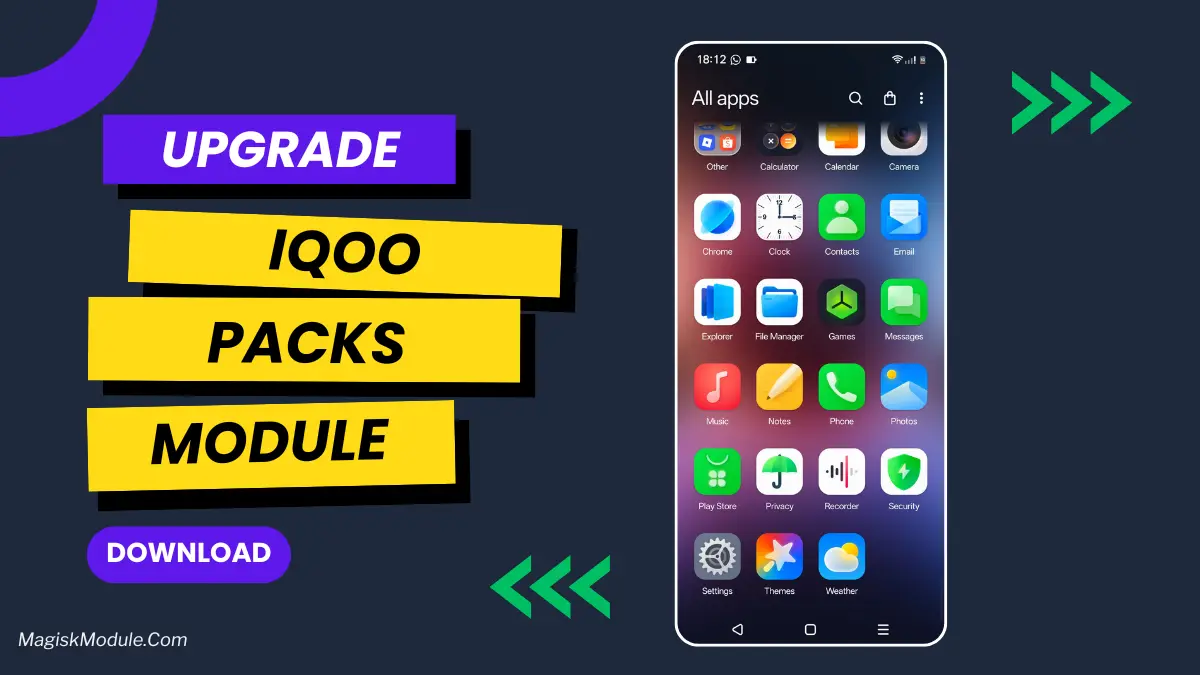
Stock Android is good and all, but by default it can be a tad on the safe side and not exactly something to scream about in terms of design. Most will stick to a default wallpaper and add a few custom widgets, but for those wanting to add a little more flair to their interface, we’ll be showcasing the design of an iQOO and how you can incorporate its best features onto your own Android phone.
iQOO Experience Packs Magisk Module is a zip file that brings tons of new features to any Android phone and greatly changes user experience!
Features
- Personalization: It is possible to modify calendar colors and change calendar names, adjust the clock style and customize the clock positions, and change the fonts globally.
- Look & Feel: Get new battery icon themes, WiFi icon themes and status bar icons and notification panel icons.
- Sound & Vision: Customers are given the option to modify the charging sound, change the sound for when the phone is locked and unlocked, and alter the boot-up animation.
- App Bliss: I ported over the iQOO music player, a few modified versions of the gallery app, the notes app, and some cool live wallpapers along with a home screen wallpaper. I also made use of a couple of home screen widgets.
- Total Control: Change the whole icon pack, change the shape of individual application icons and change the icons of the navigation bar.
This was the first them I ever tried, and it made my old phone feel fresh and personalized. Super easy to install (magisk flash in 2 seconds).