| App Name | App ControlX |
|---|---|
| Size | 15.2MB |
| Version | v1.1.0 |
| Category | Ported |
| Android requirement | + 10 |
| Published By | @risunCode |
| Rating | 4.9 / 5 |
| Support | Root & Non-Root |
Get Link
Step-by-Step Installation
- How To Install:
- Enable “Unknown sources” in your device’s settings
- Open your device’s file manager
- Find the APK file
- Tap the APK file to install the app
- Confirm the installation
- Grant an app superuser (root) access using the Magisk app
How to Active Shizuku? [For Non-Root]
Install Shizuku App
- Get the Shizuku app from the google play store.
- Install the app on your device.
How to setup Shizuku app on your device
To use Shizuku, you’ll need to enable Developer Options on your device:
- Turn on Wifi
- Go to Settings > About Phone.
- Tap Build Number 7 times to unlock Developer Options.
- Open the Shizuku, Click on Pairing button > Click Developer Options.
- Click Wireless debugging & Enable Wireless debugging.
- Click Pair device with pairing code.
- Click on “Enter Pairing Code” above and paste the WiFi pairing codes there.
- After pairing is Successful open Shizuku again and click on start button.
- Grant an app permissions via Shizuku
- [Video Tutorial For Shizuku]
Your phone is full. Choked. Piled high with all manner of useless, space-hogging apps that just won’t behave. Whether it’s apps sucking the life from your battery or those that refuse to run in the background after you’ve closed them, nothing is quite as infuriating. But the worst culprit of all? The apps you can’t even uninstall. Because, of course, you can’t get rid of the ones that shipped with your phone, the software extras that count as ‘bloatware’. There’s a reason it’s so despised.
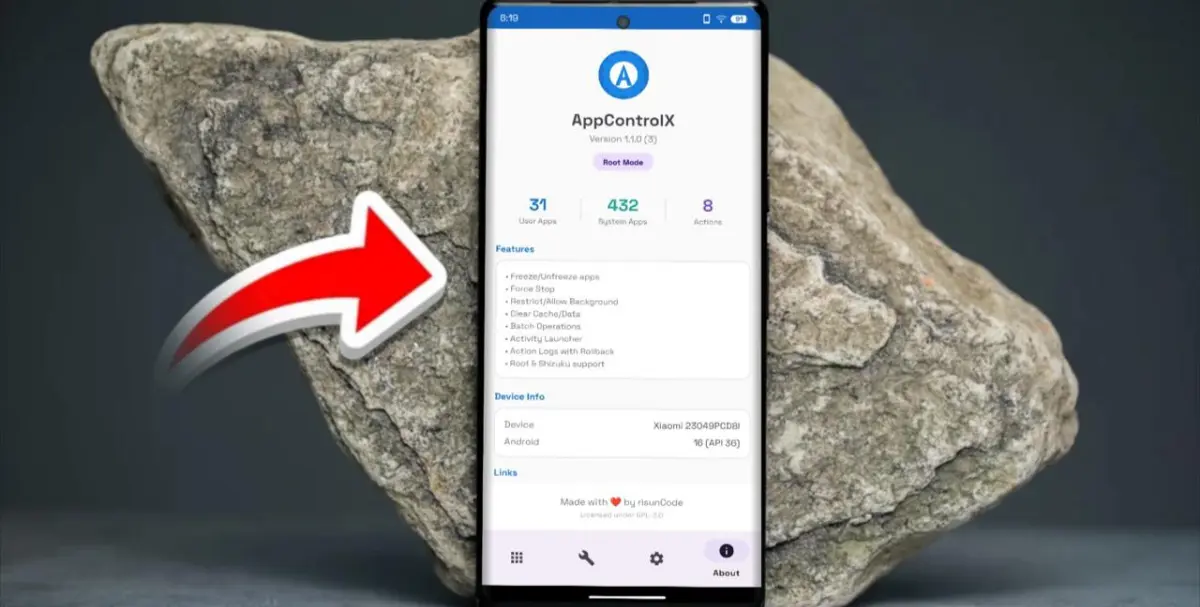
So how do you control all the apps running on your phone? This is where App Control comes in, and is useful whether you have rooted your device or not. I have been using it for months, and the performance increase on my phone as well as the extended battery life is amazing.
Here’s the magic it lets you do:
- For Root Users: Install Root via Magisk and grant superuser access (for Root Users).
- No Root Required: Use Shizuku to grant permissions and then also enable full-level permissions.
Core Features That Actually Help:
- Freeze/Unfreeze: Freeze applications to prevent distraction while maintaining program information. Convenient for a stuck game you installed but never started.
- True Uninstaller for removing system apps: Includes support for removing system apps for your user profile, as well as bulk-uninstalling multiple applications at once.
- Battery Defender: With this app, you can restrict apps with a single click to help save battery life. My social media apps haven’t sucked any battery life for the past 24 hours.
- Smart Tools: Hidden app activites (developer secrets!) , Force Extra Dim mode for night reading and access logs which you cant normally.
I like the new Material 3 design and the Action Log which is really helpful to keep track of all the things you changed (so you can easily Rollback changes if you want to).
This little tool lets you clean up, speed up and manage your Android device like you could when you first got it.