| App Name | Speed X Game Turbo |
|---|---|
| Size | 3.23MB |
| Version | v2.2.3 |
| Category | No Root |
| Android requirement | + 6.0 |
| Published By | @Chermodsc |
| Rating | 4.9 / 5 |
| Support | All Android |
Get Link
To access the latest version, previous updates, and secure files for this module, please proceed to our official download portal below.
Step-by-Step Installation
- Get the Ported App.
- How To Install:
- Enable “Unknown sources” in your device’s settings
- Open your device’s file manager
- Find the APK file
- Tap the APK file to install the app
- Confirm the installation
Setup Shizuku
Geting Shizuku App
- Get the Shizuku app from the google play store.
- Install the app on your device.
How to setup Shizuku app on your device
To use Shizuku, you’ll need to enable Developer Options on your device:
- Turn on Wifi
- Go to Settings > About Phone.
- Tap Build Number seven times to unlock Developer Options.
- Then again go to the Shizuku app and tap on Pairing button.
- Go to Developer Option > Enable Wireless debugging from Developer Option.
- Tap Wireless debugging > Pair device with pairing code.
- Copy the wifi paired code.
- Put the wireless pairing code in notification panel.
- [Video Tutorial For Setup Shizuku]
Changelog
- Speed-X Version 2.3.3 (No Bugs)
- Stable Version
- UI Stable
- Added Feature Gamer/Battery (Stable)
- Added SPEEDXMODE (Shizuku)
- Added Reboot Device (Shizuku)
- Added RGB MODE
- Added S-X MODE (Floating)
- Added FPS selection 45/60/90/120/144 (Support)
- Added Feature Frame-Graphics
- Added Feature Crosshair-X
- Added Gyro-X
- Added Permission allow Automatic (Shizuku)
- Added Whitelist apps
- Add smooth animation to the application
- Fixed Bugs
- Fixed Floating
- Meter Info
- Floating Games
- Shizuku or Not Shizuku Support
- Support All Devices!
Mobile games are getting heavier, and dealing with mid-match frame drops is a massive headache. I started testing the Speed X Game Turbo app recently to see if it could actually force my hardware to focus purely on the game without requiring root access.
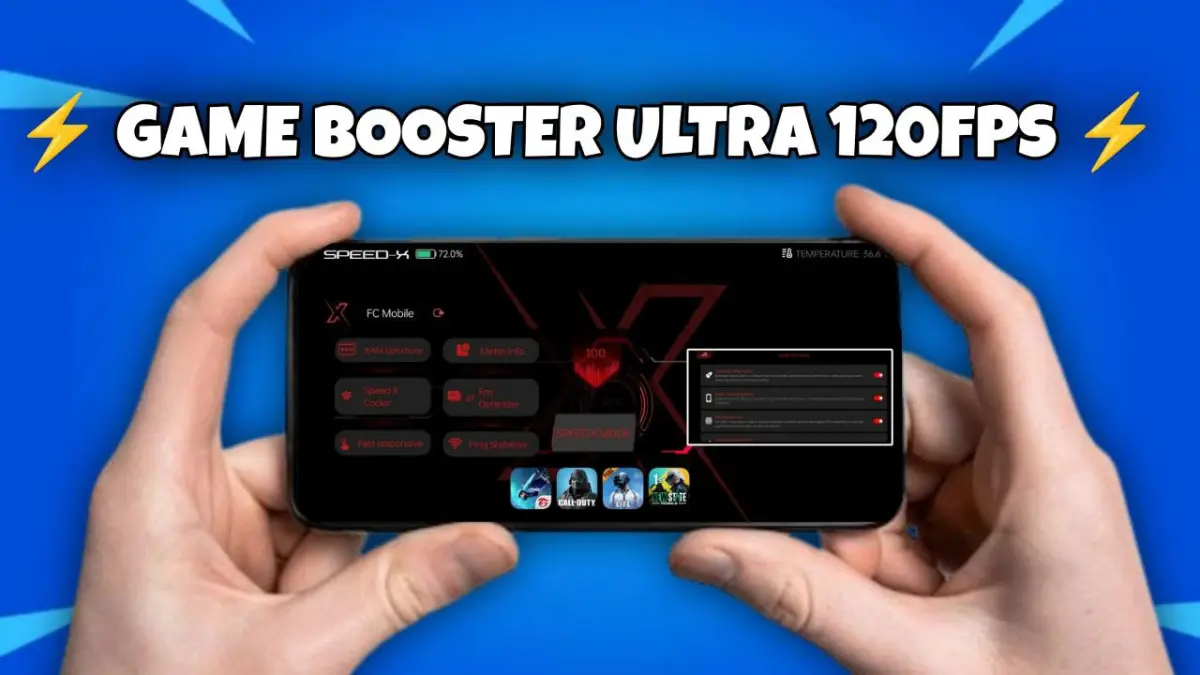
Speed X Game Turbo is a non-root Android utility designed to improve mobile gaming performance. It automatically detects launched games and reallocates system resources, prioritizing CPU and GPU power for the active application while clearing background RAM and stabilizing network latency to maintain high framerates.
Under the hood, this tool acts as an aggressive task manager that intercepts game launches to instantly kill heavy background processes. I’ve been running this on my daily driver during intense CODM ranked matches, and the difference in thermal throttling and stuttering is very noticeable. You get the raw hardware performance pushed exactly where you need it, rather than wasted on background syncs.
- Instant RAM clearance: One tap kills off background applications so your game loads faster.
- Automatic title detection kicks in immediately when you launch PUBG, MLBB, or CODM.
- Forces hardware priority: The app directs maximum CPU and GPU power straight to the game to stop frame drops.
- A balanced battery mode helps keep the device alive longer during intense competitive sessions.
- Reduces network lag by stabilizing your ping for faster reaction times.
- Completely root-free operation means you do not need Magisk or KernelSU to get better gaming performance.
If your phone struggles with heavy battle royales or constant ping spikes, this is worth keeping in your app drawer. It delivers a solid performance bump for standard Android users who just want their hardware to do its job without complex setups.