| App Name | Everlasting Tweak |
|---|---|
| Size | 27.2MB |
| Version | Latest |
| Category | Root & No Root |
| Android requirement | + 6.0 |
| Published By | Hari Prabhu |
| Credit | Everything Android |
| Support | Root & Non Root |
Get Link
To access the latest version, previous updates, and secure files for this module, please proceed to our official download portal below.
Installation
- Install the .
- How To Install:
- Enable “Unknown sources” in your device’s settings
- Open your device’s file manager
- Find the Turbo FPS Pro
- Tap the APK file to install the app
- Confirm the installation
How to Active Shizuku?
- Install the Shizuku from the google play store.
To use Shizuku, you’ll need to enable Developer Options on your device:
- Turn on Wifi
- Go to Settings > About Phone.
- Tap Build Number seven times to unlock Developer Options.
- Then again go to the Shizuku app and tap on Pairing button.
- Go to Developer Option > Enable Wireless debugging from Developer Option.
- Tap Wireless debugging > Pair device with pairing code.
- Copy the wifi paired code.
- Put the wireless pairing code in notification panel.
- [Video Tutorial For Shizuku]
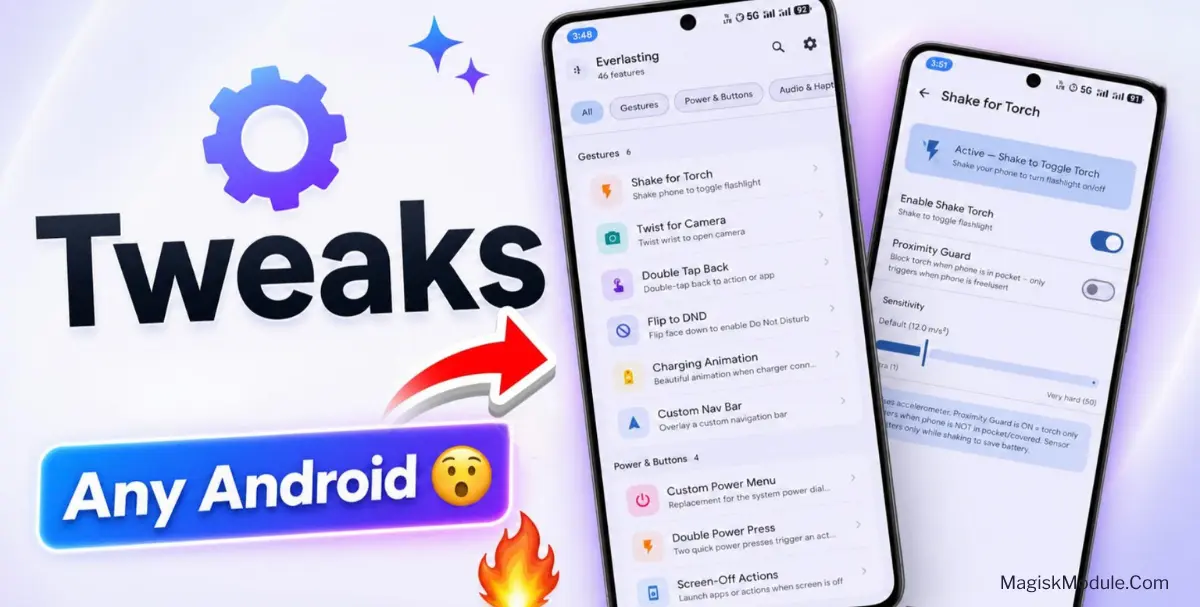
The Everlasting Android Tweak App is a comprehensive gesture control and customization utility for Android devices. It directly binds physical device movements to system actions like hardware toggles and application launches while adding local media processing tools.
I’ve been running this on my daily driver for a week, and it drastically cuts down how often I actually look at my screen. The background service hooks directly into the gyroscope without draining the battery, making those physical shortcuts trigger instantly every time.
Core Features
- Give it a shake to instantly turn on the LED flashlight.
- Rapid wrist twists serve as a quick-fire trigger for the camera app.
- Map custom apps straight to a double-tap on the back glass.
- Face down placement immediately silences the phone and blocks incoming notifications.
- System audio tweaks are handled by a built-in five-band equalizer for custom sound profiles.
- Local image upscaling pushes your low-resolution pictures through an onboard 4X AI enhancer.
My Verdict
If you want hardware-level shortcuts without buying a specific phone brand, grab this app. It is a solid choice for anyone looking to speed up their daily physical device interactions.