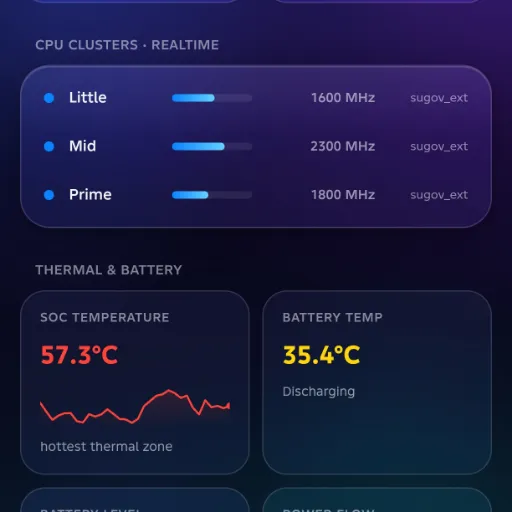

Performance Daemon is a root-friendly Android module that locks CPU and GPU max frequencies while applying touch boost and scheduler tuning. It runs systemlessly across major chipsets, relaxing software throttling while keeping hardware emergency protection intact.
Technical Details
Under the hood, this daemon auto-detects MediaTek, Snapdragon, Exynos, Unisoc, Tensor, Tegra, and generic devices to apply per-chipset tuners, cpuset adjustments, and scheduler tuning without altering core system partitions. By pairing CPU/GPU max-frequency locks with guarded software anti-throttle relaxation, it curbs software-level slowdowns while keeping hardware emergency protection preserved.
Core Features of Performance Daemon
- Frequency Locking: Enforces CPU and GPU max-frequency locks through root privileges to prevent unwanted clock drops.
- Chipset Auto-Detection: Automatically identifies MediaTek, Snapdragon, Exynos, Unisoc, Tensor, Tegra, and generic devices to load per-chipset tuners.
- Scheduler Tuning: Combines touch boost with cpuset and scheduler tuning to sharpen system responsiveness.
- Anti-Throttle Guard: Enables guarded software anti-throttle relaxation while preserving hardware emergency protection.
Support & Requirements
Compatible with all modern Android operating systems and supports Magisk, KernelSU, and APatch root managers.
How to Install Performance Daemon
- Download the latest Performance Daemon
.zippackage to your device storage. - Open the Magisk, KernelSU, or APatch manager app and go to the Modules section.
- Select Install from storage and flash the downloaded
.ziparchive. - Reboot your device to run the daemon systemlessly.
Reviews (0)
No reviews yet. Be the first to review!