
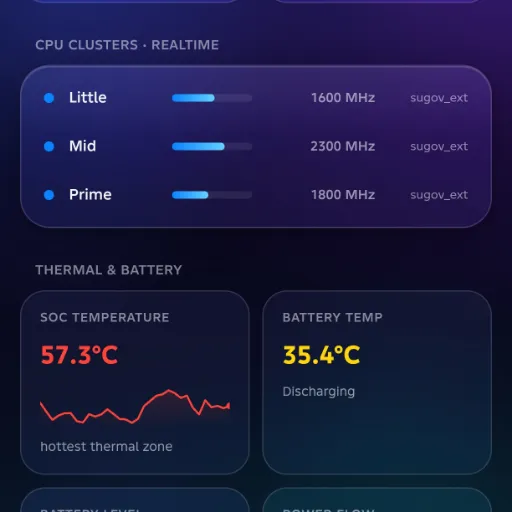
MTK Dimensity is a systemless Android root module built exclusively for Dimensity 7000+ devices. It combines an automated game-boost performance daemon, thermal disabler, and built-in WebUI to apply gaming tweaks automatically without permanently altering system partitions.
Technical Details
Mounted systemlessly at boot, this module runs an automated performance daemon alongside a thermal disabler without touching core system partitions. Its auto game detection monitors active gameplay on Dimensity 7000+ hardware to trigger all tweaks automatically while offering direct control through the included WebUI.
Core Features of MTK DIMENSITY
- Performance Daemon: Runs an automated game-boost daemon at the root level built exclusively for Dimensity 7000+ devices.
- Thermal Disabler: Includes a built-in thermal disabler operating systemlessly without permanently changing stock firmware files.
- Auto Detection: Detects active games automatically and applies all tweaks only while playing.
- Included WebUI: Ships with an integrated WebUI for direct module access inside modern root environments.
Support & Requirements
Compatible with all modern Android operating systems exclusively on Dimensity 7000+ devices rooted with Magisk, KernelSU, or APatch.
How to Install MTK DIMENSITY
- Download the latest MTK DIMENSITY
.zipfile to your device storage. - Open the Magisk, KernelSU, or APatch app and go to the Modules tab.
- Tap Install from storage and select the downloaded
.ziparchive to flash it. - Reboot your device to activate the daemon and WebUI.
Reviews (0)
No reviews yet. Be the first to review!