LSposed Zygisk v1.11.0 Latest Version 2026

Published On: February 4, 2026
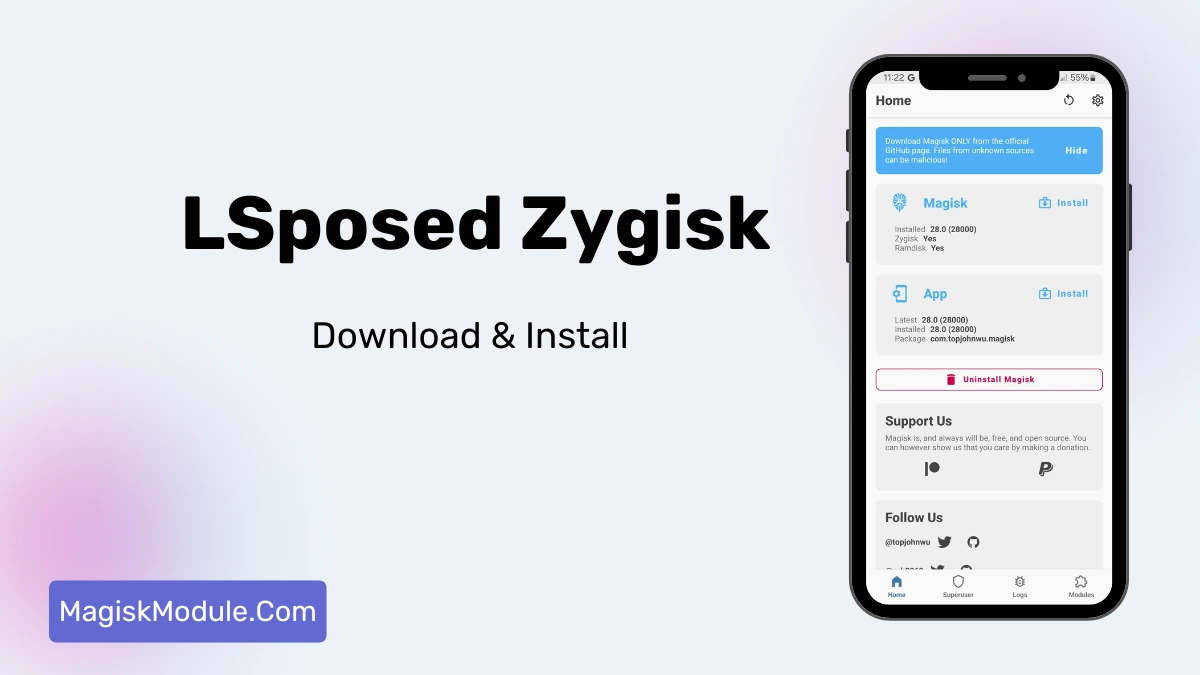
LSposed Zygisk
File NameLSposed Zygisk
Size6.47MB
Versionv1.11.0
CategoryMagisk Modules
Android requirement+ 6.0
Published ByJing Matrix
CreditLsposed Developer
PriceFree

Get Link

How to Install (The Easy Way)

I always recommend the Zygisk method because it’s cleaner.

  1. Make sure you have Magisk 24.0+ installed on your device.
  2. Open your Magisk Manager.
  3. Go to settings and enable Zygisk.
  4. Reboot your phone.
  5. Download the LSPosed Zygisk release zip file.
  6. Open Magisk, go to “Modules,” and flash the zip.
  7. Reboot again.

That’s it. You’ll see the LSPosed notification in your status bar.

Install LSPosed Manager

  1. Download the latest LSposed Manager APK
  2. Enable Unknown Sources in device security settings
  3. Install the downloaded APK
  4. Open the LSposed Manager application

I suppose we all have our roots to follow. If you’ve been around in Android rooting as long as I have, you’ve probably got fond memories of the original Xposed Framework and all the ‘fun times’ that came with it. Bootloops, lag, a dead phone that refuses to power on — these are just a few of the things that I’m sure are still echoing in your memory banks right now.

That’s exactly why I switched to LSposed Zygisk.

I’ve been using LSPosed on my daily driver (a Pixel with the latest version of Android) for about a year and a half now, and it’s honestly a game changer. As you’re probably well aware, it’s been a long while since we’ve seen a fully featured Xposed method that hasn’t felt laughably slow and sluggish – think back to when EdXposed was first around, how bloated did it feel? The lack of a decent implementation has always left me feeling kinda disappointed that I never managed to get the full feature set of Xposed on any of my mainhand phones (even on lower end hardware, Xposed could be a total resource guzzler). The excellent news is, things have changed. LSPosed is an absolutely phenomenal release, and it sets a completely new benchmark in terms of what we’ve come to expect from a product like this. There’s essentially no slowdown of any kind – I know it sounds crazy, but all of my Xposed features, all the time, without any of the sluggishness that was previously there.

My Experience

After doing the flash with the LSPosed zip via Magisk I was a bit skeptical but after about an hour I could clearly see that something was different, and for the better. The new material design that they are using is quite up to date and much more modern. But the real reason for this update, I believe, is about saving time.

My favorite part is Scope. For years, I have been worried about any mods messing up my banking apps or slowing my system. Using LSPosed, I can select individual modules to only affect the applications I choose. So, I can now safely install mods that alter my YouTube app experience without them trying to hook into other apps and increasing risk of a reboot. This mod does exactly what I want without cluttering my system partition or burning through battery life.

The Features

The magisk module manager is one of the simplest ways to manage your modules if you are running Magisk. Here is why I prefer it.

  • Install Xposed Module Via LSPosed Manager: Easy peasy!
  • Safe systemless integration via Magisk. Unaltered system files.

Xposed App Manager 2.9 – A modern Xposed framework manager for rooted devices This is for newer Android versions. It just works.

  • Supports Zygisk and Riru: LSPosed still works on both Zygisk and Riru.
  • **Clean code with Material UI for module management. No command line in site. It looks native.
  • Granular per-app module enable/disable control: Finally.
  • Actual active module conflict detection and warnings. Which I believe tells you before any possible issue that two mods may be in conflict.
  • You get updates and the dev team has great communication with the community. – The dev team is active to the community and the bug fixing is done quickly.
  • Improved stability compared to vanilla Xposed/older versions, I don’t reboot for no reason anymore.
  • Detailed logs for easier debugging and tracking: The logs might seem verbose, but if anything ever breaks, they actually help you debug and track what’s happening.
  • Improved privacy and security controls: By limiting module scope, you prevent rogue modules from reading data they shouldn’t.
  • Wide compatibility with popular Xposed modules: Most of your favorite classic tweaks still work perfectly here.

Final Thoughts

If you are rooted your phone in 2026, then you shouldn’t be using anything else. The balance of power and stability is near perfect, and the community support is also spot on in case things go wrong. It’s fast, beautiful, and battery life is preserved.

Shakil Hassan Joy

Assalamu Alaikum, I am a content writer and a junior Android developer. From a young age, I have always loved working with technology. At one point, I used to port many custom ROMs, but now I am mainly focused on developing Magisk modules. Please keep me in your prayers. Thank you.