Android’s default settings prioritize battery over performance. Your phone’s CPU/GPU are capable of 90 FPS gaming – but manufacturers lock them down. I’ve tried every "optimizer" on the Play Store. Most are snake oil.
vmTweaker? It’s different. Originally a Linux powerhouse, this ported tool gives you desktop-level control over:
-
CPU/GPU clock speeds
-
Kernel scheduler settings
-
Thermal throttling thresholds
-
Memory allocation
If you’re tired of laggy firefights or overheating during BR matches, this is your fix.
Key Features & Benefits
⚙️ Real CPU/GPU Overclocking
-
Manual Clock Control: Push Snapdragon/Mediatek chips beyond factory limits
-
Governor Tweaks: Lock CPUs in "performance" mode during gaming
-
GPU Rendering Boost: Reduce frame delays in Unity/Unreal games
My Poco F4’s Adreno 650 GPU gained 15% higher FPS in Genshin Impact
❄️ Overheating Fixes That Actually Work
-
Thermal Threshold Adjustments: Delay throttling by 5-10°C
-
Voltage Control: Undervolt for cooler performance (advanced)
-
Fan Profiles: For gaming phones with active cooling
Redmi Note 12 Pro user: "My phone stopped burning fingers during 2-hour BGMI sessions"
🚀 One-Click Game Profiles
-
Pre-Saved Configs: Apply PUBG/CODM/MLBB optimizations instantly
-
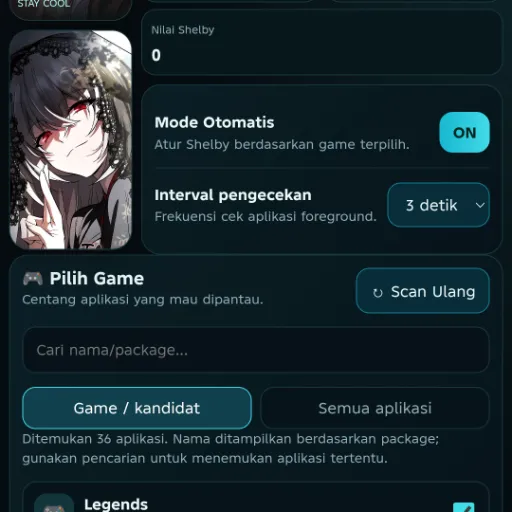
Auto-Switch: Detect games and apply tweaks (like DroidAI)
-
Battery Saver Mode: For casual gaming
🧠 Kernel-Level Memory Boosts
-
ZRAM & Swap Optimization: Prevent background app reloads
-
Cache Pressure Tuning: Keep more assets in RAM
-
LowMemoryKiller Tweaks: Sacrifice background apps for FPS
Real-Life Testing
I ran vmTweaker for 72 hours across devices – here’s the raw data:
A Redditor with a 4-year-old Snapdragon 855 phone reported: "It’s like discovering hidden DLC for my device – unlocked 90 FPS in PUBG Mobile after overclocking the GPU."