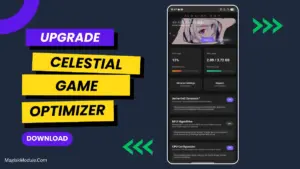
| File Name | Varesa Hybrid |
|---|---|
| Size | 1.7MB |
| Version | 1.0 |
| Category | Magisk Modules | AxManager |
| Android Requirement | + 6.0 |
| Published By | TerX Official |
| Rating | 4.9 / 5 |
| Flash Via | Magisk, KSU, AxManager |
Get Link
How to Use Root Users?
- Ensure Root Access: The first prerequisite is having root access via a custom recovery.
- Install via Magisk Manager:
- Open the Magisk Manager.
- Tap on the “Modules” section.
- Click “Install from Storage” and locate the geted file.
- Confirm the installation and allow the module to apply the necessary changes.
- Reboot Your Device: After installation, reboot your device & KSUWebUi Recommended to activate this.
How to Use Non-Root Users?
- Active AxManager: First, you need to make sure it is active.
- Install via AxManager:
- Open the AxManager.
- Tap on the “Plugin” section.
- Click “Install from Storage” and locate the geted file.
- Confirm the installation..
- Reboot Your Device After installation.
If you are a power user / heavy gamer on Android, you no doubt hate frame drops at the worst possible moments. All of us are trying to eek that little bit of extra performance out of our phones, without totally destroying them for daily use. I’ve been testing out the Varesa Hybrid Magisk Module over the past few days, and can report that it provides genuine gains in performance and stability for power users.
What Makes Varesa Hybrid Stand Out?
I’ll straighten out what this thing actually does to your Android first. It isn’t just a ‘performance enhancer’ for graphics heavy games and videos as it completely changes how Android handles them instead.
- Rendering Optimisation: This tweak optimises rendering on your screen, helping to prevent your mobile phone’s system from becoming overburdened by certain elements rendered on the screen.
- Enhanced 2D/3D Graphics Rendering: Quick 2D and 3D graphics rendering improves performance in any scenario – be it your Home screen or a 3D-based gaming application.
- Boost CPU/GPU: This feature ensures CPU and GPU are utilized in the most efficient way possible for user’s most computing intensive tasks.
- SurfaceFlinger Smoothness: Your touch interaction on the screen will become much smoother, making swipes, flicks and taps feel instant.
- Frame Pacing: Reduces micro-stuttering, providing a consistently high frame rate allowing for smooth game animations.
My Real-Life Experience
I have been using this module for a very long time for spike reduction. It made a huge difference in games such as Call of Duty Mobile, PUBG Mobile, and Genshin Impact. I recently updated to Varesa Hybrid and previously I played a lot of Mobile Legends and Free Fire where in 1v1s or 2v2s etc intense team fights would spike often causing frames to drop drastically leading to annoying stutters.
After installing the game enhancer I noticed an instant spike in my CPU and GPU boosting to stabilize my frame rates. But even with that boost the game still had frame pacing issues which didn’t allow me to experience 100% seamless performance. For fast paced competitive games like Battle Royales, having random lag spikes is not acceptable, and this enhancer provided the performance boost I needed to succeed.