game-scale.md
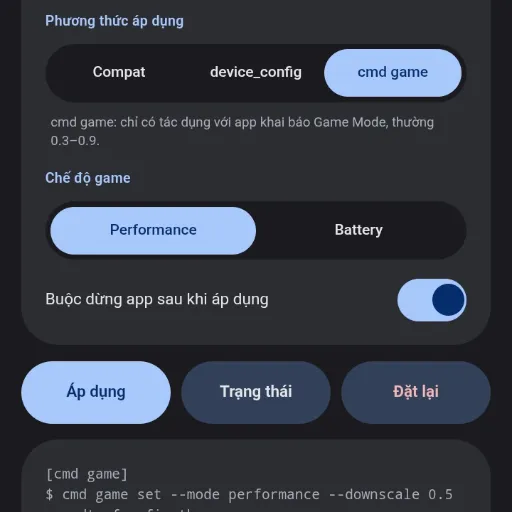
Game Scale is a non-root AxManager plugin designed to adjust the resolution of individual applications through an integrated WebUI. It allows users to safely upscale or downscale graphics utilizing Wireless ADB, bypassing the need for root access completely.
Technical Details
This plugin operates by targeting and adjusting the resolution values of individual applications via a browser-based WebUI. By leveraging AxManager and Wireless ADB, it executes these per-app scaling commands directly at the system level on Android 12+. This approach ensures changes are applied without root privileges while keeping device warranties intact.
Core Features of Game Scale
- Resolution Control: Supports dedicated upscaling and downscaling configurations for any targeted application.
- WebUI Interface: Lets users configure graphics settings for individual games directly from a browser.
- Per-App Targeting: Applies specific resolution scaling to select applications rather than the entire system.
- Non-Root Execution: Runs securely using Wireless ADB permissions to avoid bootloader unlocking.
Support & Requirements
Requires Android 12 or newer and AxManager for non-root execution.
How to Install Game Scale
- Activate AxManager using Wireless ADB on your device.
- Download the Game Scale .zip file.
- Open the AxManager app and access the plugin menu.
- Flash the file and open the WebUI to start scaling applications.

Reviews (0)
No reviews yet. Be the first to review!