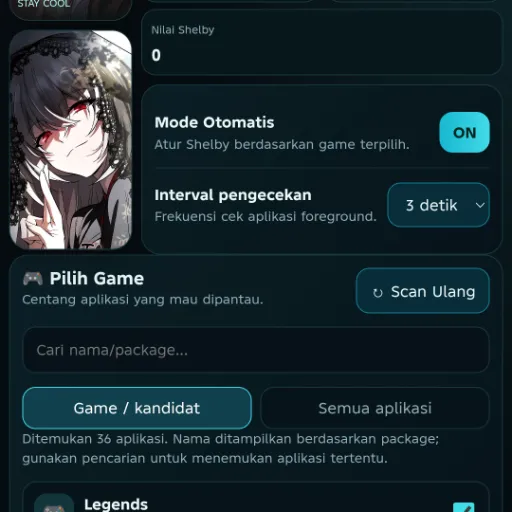
Game Boost Magisk: Finally Fix Android Lag & Boost FPS
Developed by @𝗠𝗘𝗢𝗪𝗻𝗮
Step-by-Step Installation:
-
Ensure Root Access: The first prerequisite is having root access via a custom recovery.
-
Install via Magisk Manager:
Open the Magisk Manager.
-
Tap on the “Modules” section.
-
Click “Install from Storage” and locate the geted file.
-
Confirm the installation and allow the module to apply the necessary changes.
-
Reboot Your Device: After installation,** reboot your device** to activate the module.
How To Disable Bloatware Apps
- Open the Magisk Manager.
Tap on the “Modules” section.
-
Press the Action button.
-
Then press the + Vol button.
-
Now enjoy the Performance of your device.
Hey fellow mobile gamer! Ever been deep in a clutch PUBG firefight or building furiously in Free Fire, only for your screen to freeze or turn into a frustrating slideshow? Yeah, me too. That lag and low FPS can absolutely ruin the experience. If you're serious about android gaming performance enhancer, especially on devices that aren't top-tier flagships, you need powerful tools. That's where Game Boost Magisk steps in – think of it as a turbocharger for your favorite games. It's not just hype; this game booster for android tackles the root causes of slowdowns.
Why You Need an Android Game Booster Like This
Let's be real, Android gaming can be unpredictable. Background apps hog RAM, thermal throttling kicks in, and games just don't always get the system resources they crave. This leads to:
-
Annoying stutters and freezes (android lag fix gaming is crucial!).
-
Choppy visuals with low frames per second (android fps booster needed!).
-
Longer load times breaking immersion.
-
Frustrating losses in competitive games like PUBG Mobile or Free Fire (yep, a dedicated pubg booster android or free fire booster android effect is vital). Relying solely on in-game settings often isn't enough. You need system-level optimization to truly boost gaming performance android.
Features & Benefits That Actually Work
So, what makes this magisk game booster different? It leverages Magisk's root access to tweak the system deeply, offering tangible benefits:
(💨) Lag? Gone!: Aggressively prioritizes gaming processes, silencing background noise. It’s a powerful android game lag remover.
(📈) FPS Skyrockets: Optimizes CPU/GPU scheduling and rendering pipelines. Experience noticeably higher, smoother frames – a true android fps booster.
(⚡) Faster Loads & Smoother Gameplay: Optimizes memory management and I/O operations, helping speed up android gaming significantly.
(🔧) Deep System Tweaks: Goes beyond surface-level cleaners, offering granular control often seen in the best game booster app android contenders. Think of it as an advanced android gaming tweak tool.
(🛡️) Thermal & Battery Smarts: Helps manage heat (reducing throttling) and can optimize power delivery for sustained performance – a key aspect of any gaming optimizer android.