| File Name | NetCore Pro |
|---|---|
| Size | 40KB |
| Version | v5.2 |
| Category | No Root |
| Android requirement | + 10 |
| Published By | @ZexpoYT |
| Rating | 4.9 / 5 |
| Support | Non-Root |
Get Link
Step-by-Step Installation
Install The RenderCore Manager
- How To Install:
- Enable “Unknown sources” in your device’s settings
- Open your device’s file manager
- Find the APK file
- Tap the APK file to install the app
- Confirm the installation
Install The NetCore Pro Module
- Install via RenderCore Manager: [No Requarired Shizuku Or Root]
- Open the RenderCore Manager.
- Click “Select Module” and locate the geted file.
- Do not select the file directly. Go to Internal-Storage/Download/file
- This time, config the module to your liking.
Changelog
- Fix Bugs
- fix crashing issues
- Optimized
- minor changes
- Remove unwanted Commands
- New interface
- Optimized Old Script
- Added New Tweaks
Having lag in the final circle when there are only 3 players left is the WORST. I have tried SO MANY HAXES and none of them have done the job right, or they have required a Root and an advanced understanding of computer code. NetCore Pro has done the trick for me!
Assembly is as shocking as it is simple. It’s available via the RenderCore Manager app. No need to use Shizuku or request root access. From downloading to launching was roughly about two minutes. In between I was a bit skeptical on how much of a performance gain could be expected.
Features
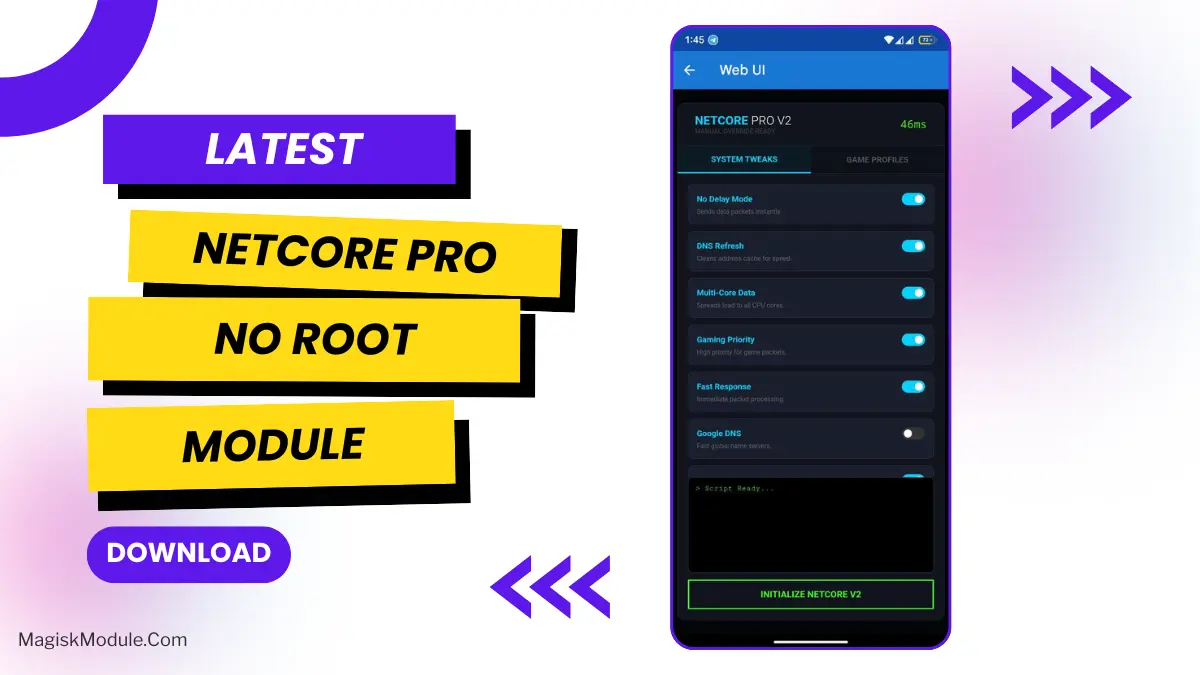
This module helps to fix your connection and brings many improvements. Here are some of the things it optimizes for popular games such as BGMI, COD Mobile, Free Fire, MLBB and even bigger games such as Genshin Impact:
• No Delay Mode: Cuts down lag spikes.
• DNS Refresh & Google DNS: It ensures the optimal routing of your information.
• Multi-Core Data & Gaming Priority: This option instructs your phone to prioritize data usage and gaming functionality.
• Fast Response & Ping Optimizer: Self-explanatory and glorious.
• Network Boost: The overall umbrella that ties it all together.
Well it looks like I have tested my fiber plan in some FPS’s! I played a little BGMI initially, my ping that was usually floating around 70-90ms dropped to 40ms and quite surprisingly my reflexes translated into fairly accurate first shot connects although I’m far from being any good, so that was an initial test of the speed. I also quickly fired up COD Mobile, which truly felt more snappy to play and the general movement of characters was far more smooth than usual.
No magic here. NetCore Pro won’t do much of anything if your wireless signal is weak to begin with. But if you have decent equipment and decent service, it will improve the quality of what you get. It is very good at eliminating the “speed bumps” that nobody really even notices much on their current systems.
If this were a free, unrootable module you might as well just install it now, fire up a match and see the difference for yourself.