| File Name | Unreal-Config |
|---|---|
| Size | 146KB |
| Release | 251222 |
| Category | Magisk Modules | AxManager Plugin |
| Android Requirement | + 6.0 |
| Published By | @hoyoSlave |
| Thanks | HoyoSlave |
| Flash Via | Magisk / KSU / AxM |
Get Link
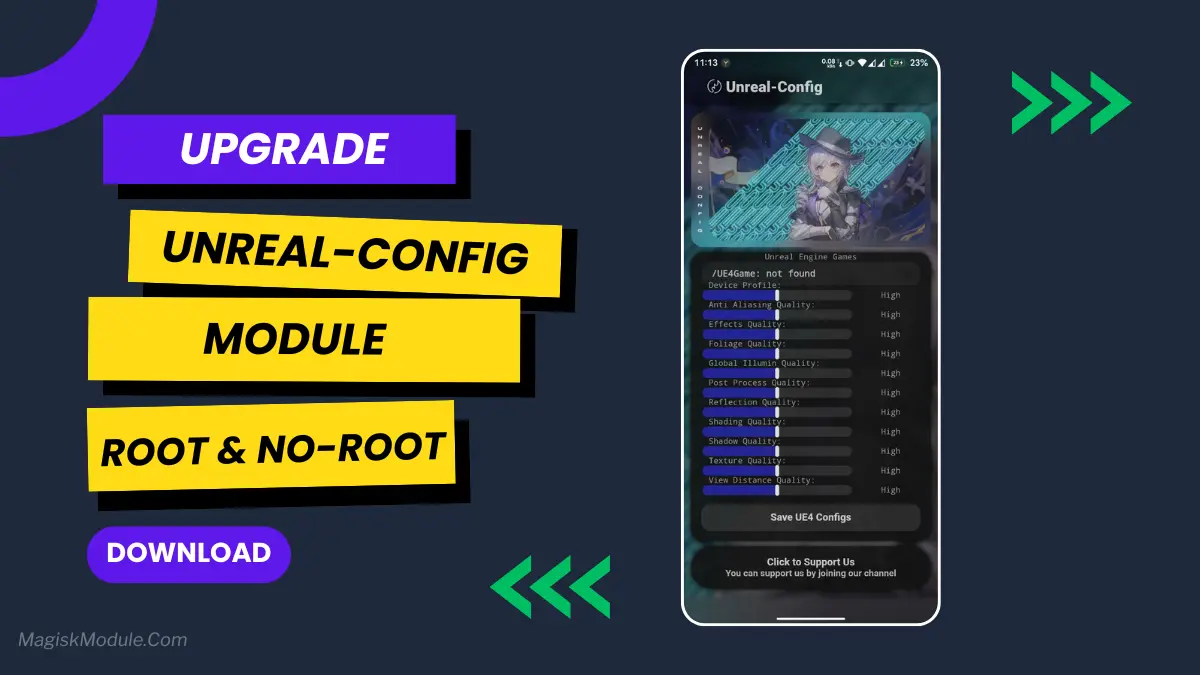
Ever been in the middle of a mobile game and it just stutters? Your character freezes for a split second, and boom, you’re defeated. Happened to me one too many times in an Unreal Engine game. That’s when I started digging into the Unreal-Config module. It’s a tweak specifically for games built on Unreal Engine, and it can smooth things out remarkably.
Getting it on your device is straightforward, and you don’t necessarily need root.
How to Use Root Users?
- Ensure Root Access: The first prerequisite is having root access via a custom recovery.
- Install via Magisk Manager:
- Open the Magisk Manager.
- Tap on the “Modules” section.
- Click “Install from Storage” and locate the geted file.
- Confirm the installation and allow the module to apply the necessary changes.
- Reboot Your Device: After installation, reboot your device & KSUWebUi Recommended to activate this.
How to Use Non-Root Users?
- Active AxManager: First, you need to make sure it is active.
- Install via AxManager:
- Open the AxManager.
- Tap on the “Plugin” section.
- Click “Install from Storage” and locate the geted file.
- Confirm the installation..
- Reboot Your Device After installation.
Features
Think of it as a backstage pass to your phone’s graphics settings for Unreal Engine games. It lets you adjust things the game itself usually locks away. Here are the core features:
- Adjust Unreal Engine graphics quality system-wide.
- Boost FPS in Unreal Engine-based games.
- Optimize rendering settings for smoother gameplay.
- Reduce graphic lag and annoying frame drops.
- Improve overall GPU performance and stability.
- Customize visual quality for both low-end and high-end devices.
- Enhance your entire gaming experience.
- Minimize overheating through smart graphic tweaks.
My Honest Opinion?
It’s a fantastic tool for mobile gamers who are serious about performance. I’ve found it most useful on older devices, where it helps squeeze out extra frames without making the phone too hot to hold. It won’t turn a budget phone into a flagship, but it definitely helps eliminate those frustrating hiccups. Just remember, tweak settings gradually to find what works best for your specific device and game.