




KinetiX
@EnriqueBrach
v1.0.0

Official SunProt optimization module built for maximum stability and peak performance, delivering lightning-fast touch response, smooth GPU rendering, and enhanced gaming speed tailored for low-end, mid-range, and high-end devices.
[!IMPORTANT]
📢 Sunne v1.0.1 Patch Update — Critical Bug Fixes
🛠️ System UI & Notification Fix
Resolved an issue that caused the notification panel and shade background to become transparent or grey on certain custom ROMs. System UI visual integrity is now fully restored.📂 Backup Script Path Correction
Corrected the backup directory path in the main execution script to ensure configuration backups and single-click restoration work flawlessly without file path errors.

/data/local/tmp/sunne-config-backup.sh) and single-click restoration.
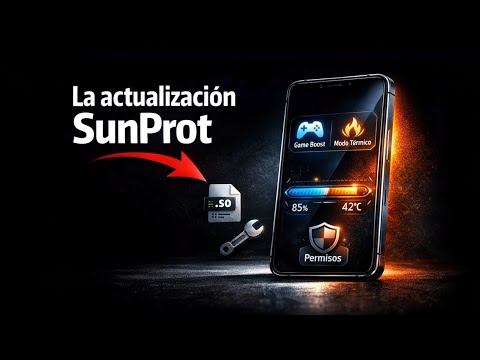
Developed with ❤️ by Enrique Brach



Can I use it with NexaCore

Yes, brother, no problem. 🤞🏻❤️
@EnriqueBrachBro it's showing error : module . Prop not detected
@prathameshmalche4del8933Brother, this module is for SunProt; it doesn't work with other apps.
Muito bom 😸👏
Thanks brother, I try to do the best I can🥰❤️

Dear Developer, Publishing sponsored links here is not allowed. You can share social links instead.
Oh, I'm so sorry, excuse me, I didn't know. Could you tell me exactly what kind of links are allowed and which ones aren't?
@EnriqueBrachSince many harmful or high spam-score links have already been published, we have prohibited all types of sponsored links. You can add social or trusted links like Facebook, Twitter, Reddit, LinkedIn, Pinterest, Instagram, and YouTube.
@Shakil_WebDevOh, I understand, thank you, and I apologize. By the way, can I add a Shortlink and Play Store link or not?
@EnriqueBrachPlay Store is obviously allowed. I told you that 'Trusted Link' means a trusted source. Shortlinks are not allowed, but you can use only one shortlink for SunProt Manager, and this is applicable exclusively to you.
@Shakil_WebDevOh, thank you so much, brother, and I'm truly sorry.