| File Name | Render |
|---|---|
| Size | 3.3KB |
| Version | Final |
| Category | Magisk Modules |
| Android requirement | + 6.0 |
| Published By | @lieudahbelajar |
| Rating | 4.9 / 5 |
| Price | Free |
Get Link
Step-by-Step Installation:
- Ensure Root Access: The first prerequisite is having root access via a custom recovery.
- Install via Magisk Manager:
- Open the Magisk Manager.
- Tap on the “Modules” section.
- Click “Install from Storage” and locate the geted file.
- Confirm the installation and allow the module to apply the necessary changes.
- Reboot Your Device: After installation, reboot your device to activate the module.
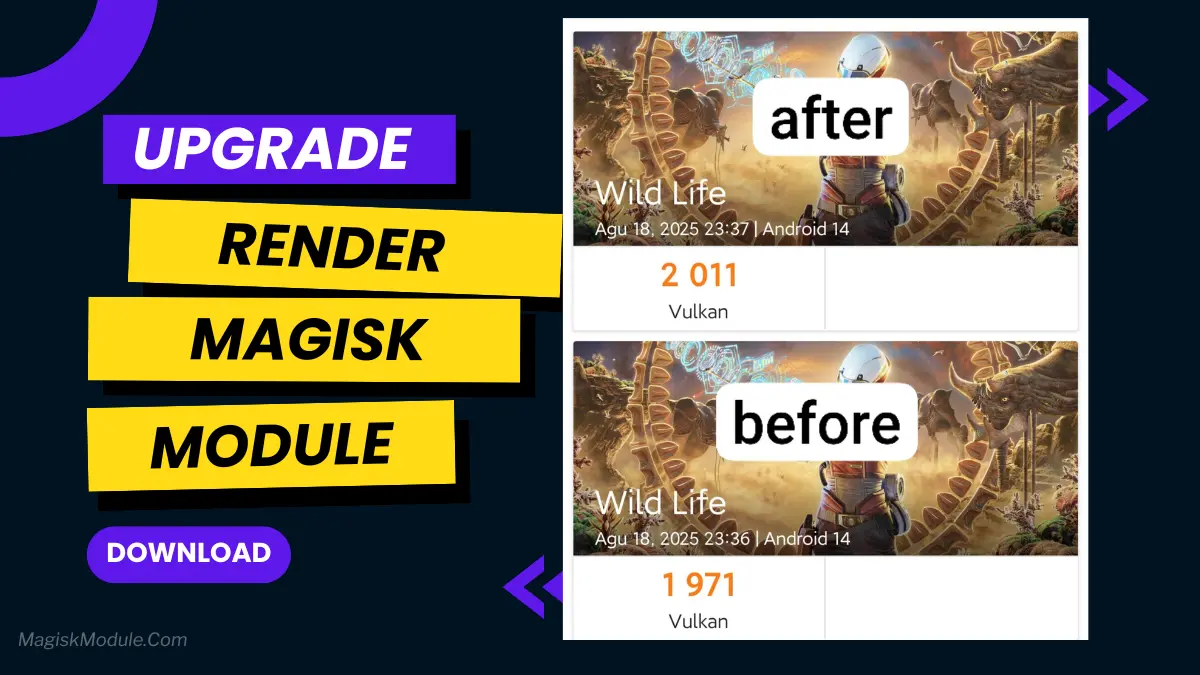
Ever been in the final circle of your favorite mobile game only to have everything freeze up? I’ve been there, and it’s beyond frustrating. That’s where something like the Render Magisk Module comes in. Think of it as a behind-the-scenes upgrade for your Android’s graphics driver. It’s not some magical FPS button, but a clever module that optimizes how your GPU, especially its Vulkan API, talks to your games. The result? A smoother, more stable, and visually better gaming experience without the annoying stutters.
Why Do You Even Need This?
Let’s be real, phone manufacturers don’t always fine-tune their software for the latest heavy games. The GPU driver that came with your phone is a one-size-fits-all solution. It gets the job done, but it doesn’t always push your hardware to its efficient best. This is a huge deal for games like Genshin Impact, PUBG Mobile, or Call of Duty: Mobile that demand every bit of graphical power they can get.
If you’ve ever noticed:
- Random frame drops during intense action.
- Textures that look a bit blurry or slow to load.
- A general feeling of “lagginess” even on a powerful phone.
then your GPU driver probably isn’t living up to its potential. This module aims to fix that.
Key Features You’ll Love
🚀 Boosted Vulkan Performance: It supercharges the Vulkan rendering API, which is a big deal for modern 3D games. This means a smoother image and faster rendering speeds.
🎮 Reduced Lag & Stutter: Say goodbye to those infuriating micro-freezes in the middle of a gunfight. The module optimizes how resources are handled, leading to buttery-smooth gameplay.
🔋 Improved Efficiency: It’s not just about raw power; it’s about smarter power usage. This can lead to better FPS stability and even slightly better battery life during gaming sessions compared to stock drivers.
📱 Lightweight & Seamless: It installs through Magisk, integrating directly at a system level without bloatware. You get the benefits without any heavy background processes.
🔄 Regularly Updated: The good modules out there get frequent updates to ensure compatibility with new games and Android versions. So, your investment in performance is long-term.