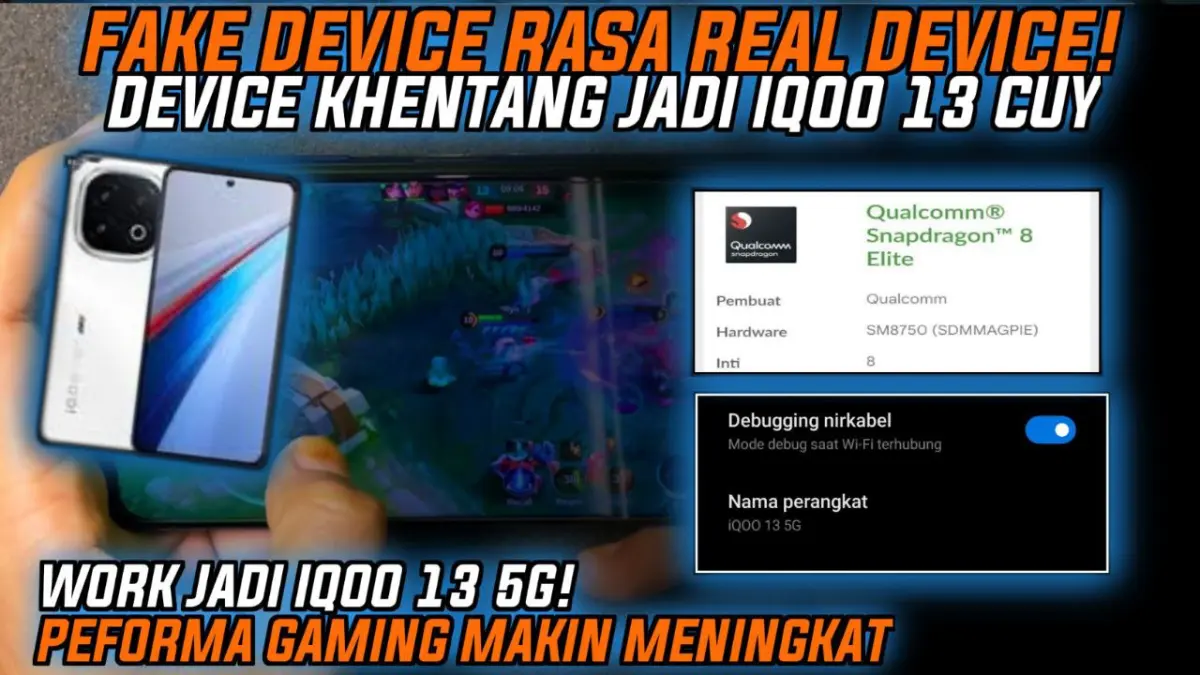
iQOO 13 Spoofer Magisk Module

iQOO 13 Spoofer Magisk Module

@LIMITGAMINGRILL
5.0(0 ratings)
5 Downloads
v2.0Version
712KBSize
Root ModulesCategory

About this module

Step-by-Step Installation:

  • Ensure Root Access: The first prerequisite is having root access via a custom recovery.
  • Install via Magisk Manager:

Open the Magisk Manager.

  • Tap on the “Modules” section.
  • Click “Install from Storage” and locate the geted file.
  • Confirm the installation and allow the module to apply the necessary changes.
  • Reboot Your Device: After installation, reboot your device to activate the module.

Ever feel locked out? Like your phone could handle Ultra HD graphics in Genshin Impact or 90fps in BGMI, but the game says "Device not supported"? Yeah, that sting is real. I've seen friends with similar hardware get better visuals because their model number was whitelisted.

If you're stuck with a capable phone that games underestimate, the iQOO 13 Spoofer Magisk Module might help. It makes your device look like the powerful iQOO 13 5G.

Why You Might Need This Digital Disguise

Game developers often limit the best graphics and high frame rates to specific devices. Your phone might have the power, but if it's not on the list? You're stuck on Medium settings. This is tough, and it's even harder with newer or less common models.

The core function of this spoof device module is simple. It changes your brand, model, and chipset info to make games think you're running an iQOO 13. This trick unlocks max grafik options hidden from you.

Features & Benefits

So, what does this iQOO 13 Spoofer do?

  • It changes your device's identity. It spoofs the brand (to iQOO), model device (to the iQOO 13 5G), and chipset/SOC details. This makes your phone become an iQOO 13 in apps and games.
  • The main goal is to unlock max grafik settings and higher frame rates. Suddenly, Ultra HD textures or Extreme FPS modes might become accessible!
  • Spoofing can also improve app/game compatibility. It can lead to better stability or access to exclusive functions.

Final Thought

Let's be real: spoofing isn't magic fairy dust. It won't make a weak phone strong. If your hardware genuinely struggles, forcing max settings will just mean lag and overheating. But if your device is powerful enough yet artificially limited, this spoofer can be a key.

There are risks: Some games (like PUBG/BGMI) actively detect and ban spoofing. Online banking or safety apps might freak out. It’s a tool for advanced users who understand the trade-offs. Always check game policies and use responsibly. If you've got the hardware muscle but lack the software recognition, the iQOO 13 Spoofer offers a way to potentially level up your visual experience. Just know the rules of the game you're playing.

Rate this module

More from @LIMITGAMINGRILL

View all
Install iOS Driver Angle Magisk Module

- Install via Magisk Manager: - Open the Magisk Manager. - Tap on the “Modules” section. - Click “Install from Storage” and locate the geted file. - Confirm the installation and allow the module to apply the necessary changes. - Reboot Your Device: After installation, reboot your device to activate the module. Mobile games such as Genshin Impact and Call of Duty: Mobile can make even the most advanced smartphones feel dreadfully sluggish. A weak battery life, frame drops, overheating are the common factors that we observe in a smartphones when it is being used for gaming purpose. The iOS Driver Magisk Module is something that seems to fix those issues and provide a whole new experience on Android. But before we get started, a question pops in our minds that does it actually work? Let’s find it out. What is the iOS Driver? Magisk is a popular tool for rooting Android. The iOS Driver Magisk Module is a module designed for a better gaming experience. It adjusts the CPU, GPU and RAM performance to achieve a better gaming performance, hence the name iOS Driver, a name that’s inspired by the iOS operating system on Apple devices. Key Features: - CPU/GPU Optimization: Prioritizes gaming processes over background tasks. - RAM Boost: Allocates more memory to games. - Refresh Rate Unlocking: Enhances 90Hz/120Hz compatibility. - Latency Reduction: Improves touch input speed. Note: Requires a rooted Android device and technical know-how. How Does the iOS Driver Boost Gaming Performance? CPU Optimization New games require a lot of CPU resources. This module allows you to regulate the number of CPU cores assigned to a particular app. As an example, you can assign the high performance cores to games like PUBG Mobile and limit other applications. Real-World Example: A Reddit user claims the plugin gave them a 40% boost to their FPS, while also eliminating stutters in combat when playing Genshin Impact. GPU Optimization This module adjusts your GPU drivers in order to yield the best results when it comes to frame output. Although not as influential, a high refresh rate display (120Hz or 90Hz) such as on the Asus 15.6” ROG 3 G16VP looks amazing in games such as COD Mobile and they feel extremely smooth. Stat Alert: The new Alpha A12 brings about 15–20% faster frame rates in tests when paired with a mid-range GPU such as the Snapdragon 778G. RAM Management The patch adjusts resource distribution and allocated memory so that 1-2GB of RAM is kept reserved exclusively for games, to prevent game crashes during the launch process in memory-intensive games such as Honkai: Star Rail. Reducing Latency A faster touch response can give you an edge. “My builds are instantly placed now,” wrote one gamer of Fortnite. Real-World Performance Case Study: Asus ROG Phone 5 (Snapdragon 888, 12GB RAM) - Before: Genshin Impact averaged 45 FPS on max settings. - After: Stable 60 FPS with reduced overheating. Community Feedback: - “Game load times dropped from 20s to 12s.” – _ XDA Forum User_ - “Finally hit Ace rank in PUBG because of the new optic that gave me slightly smoother aim.” – _ Reddit Gamer_ Potential Risks Risks: - Bricking: Incorrect installation may crash your device. - Security Vulnerabilities: Rooting exposes system files. - Warranty Void: Manufacturers may deny support. Mitigation Strategies: - Backup data using TWRP recovery. - Get modules only from reputable forums. - Use a VPN for added security.

212Root Modules
Crocus Vernus

Crocus Vernus is a lightweight, reversible tuning module that makes your device noticeably smoother and more responsive during gaming and multitasking. Enjoy a more responsive gaming and multitasking experience through intelligent adjustment of system parameters in the kernel and memory. Developer: @illumi

196Root Modules
By @bot
Abandon Engine

Step-by-Step Installation: - Active AxManager: First, you need to make sure it is active. - Install via AxManager: Open the AxManager. - Tap on the “Plugin” section. - Click “Install from Storage” and locate the geted file. - Confirm the installation.. - Reboot Your Device After installation. How to Active AxManager To use AxManager, you'll need to enable Developer Options on your device: - Turn on Wifi - Go to Settings > About Phone. - Tap Build Number seven times to unlock Developer Options. - Open the AxManager, Click “Need To Active”. - Enable Notification & Click Start Button. - Click Wireless debugging & Enable Wireless debugging. - Click Pair device with pairing code. - Click on "Enter Pairing Code" above and paste the WiFi pairing codes there. This is a file for AxManager. It’s not a Magical wand but a way to organize your phone by sleeping some non-essential system processes just like the above post said and that will help improve your battery life without rooting your Infinix, Tecno, itel and other Android phone. Features: - The file is compatible with Infinix, Tecno and itel smartphones. - Limited alterations to standard setup to maintain optimum performance and stability. - Improves system handling without heavy, complex tweaks. - Works seamlessly with stock Transsion ROMs. - Low usage of system resources to preserve your battery and daily performance. - Simply Enabled/Disabled through the AxManager program. - Reduces unneccessary background usage of phone resources.

371AxManager Plugin
Mitsu Battery Angel

How to Use Root Users? - Ensure Root Access: The first prerequisite is having root access via a custom recovery. - Install via Magisk Manager: Open the Magisk Manager. - Tap on the “Modules” section. - Click “Install from Storage” and locate the geted file. - Confirm the installation and allow the module to apply the necessary changes. - Reboot Your Device: After installation, reboot your device & KSUWebUi Recommended to activate this. The Mitsu Battery Angel is a lightweight background utility module designed to extend device screen-on time and manage power efficiency. It actively scales CPU frequency and restricts background app drain to improve overall thermal management and standby longevity. I've been running this for the last few weeks to see if it actually replaces carrying a heavy power bank everywhere I go. My phone easily pushes through a full day of heavy scrolling and messaging, dropping significantly less charge while sitting idle overnight. - Cuts down CPU activity to keep power consumption strictly under control. - Aggressive background restriction stops sneaky apps from draining your charge while the screen is off. - Better thermal management keeps the hardware running cool during extended daily use. - Dramatically improves standby time, meaning you lose fewer percentages overnight. - A lightweight footprint ensures the tool itself does not hog valuable system memory. - Supports long-term health by balancing active performance with deep battery savings. If you are tired of constant battery anxiety, applying this via your root manager or AxManager is an absolute no-brainer. It gives your device the extra endurance it needs without suffocating basic performance.

281Root Modules

Comments (0)