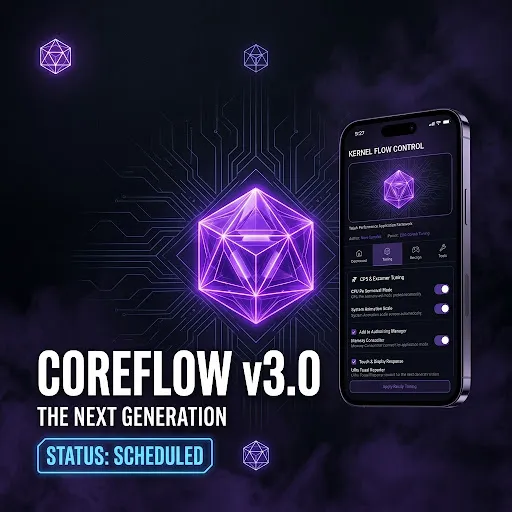
CoreFlow Engine
Developed by @mystivaracreator
DownloadDls
VersionVer
v3.0
Size
1.38 MB
UpdatedDate
28 Sept 2026
coreflow-engine.md
Kunzite CoreFlow Engine v3.0-NextGen
Dynamic C++ Kernel Tuner for Snapdragon 6 Gen 3
Disclaimer:
Your warranty is now void. I am not responsible for bricked devices, dead SD cards, or anything else. Flash at your own risk!
About CoreFlow Engine
Kunzite CoreFlow Engine is a low-level optimization system built specifically for the Redmi Note 15 5G (Snapdragon 6 Gen 3). Moving away from traditional static shell scripts, v3.0 introduces a standalone Native C++ Daemon (coreflowd) that interacts directly with kernel nodes, providing real-time adaptability based on workload and thermal states.
Key Features
- Native C++ Daemon Architecture (coreflowd): Runs efficiently in the background with zero shell interpretation overhead.
- Smart Brain Heuristics: Autonomous scoring engine that dynamically shifts states (DAILY_BALANCED / GAMING_PERFORMANCE / THERMAL_SAVER) based on touch events and thermal headroom.
- Dynamic Uclamp & Cpuset Management: Automatically scales cpu.uclamp.min and adjusts cluster allocation in real-time.
- Franco Kernel Manager (FKM) Friendly: Designed to work harmoniously alongside FKM.
Requirements & Compatibility
- Device: Redmi Note 15 5G (Snapdragon 6 Gen 3)
- Root Manager: KernelSU Next / Magisk
- Kernel: Must support cgroups v2 and Uclamp framework.
Download
Installation Guide
- Download the latest ZIP file from GitHub releases.
- Open your KernelSU Next or Magisk manager app.
- Go to the Modules tab and click Install from storage.
- Select the downloaded ZIP file and flash it.
- Reboot your device to initialize the daemon.
Developed with passion by Mystivara.
Reviews (0)
No reviews yet. Be the first to review!