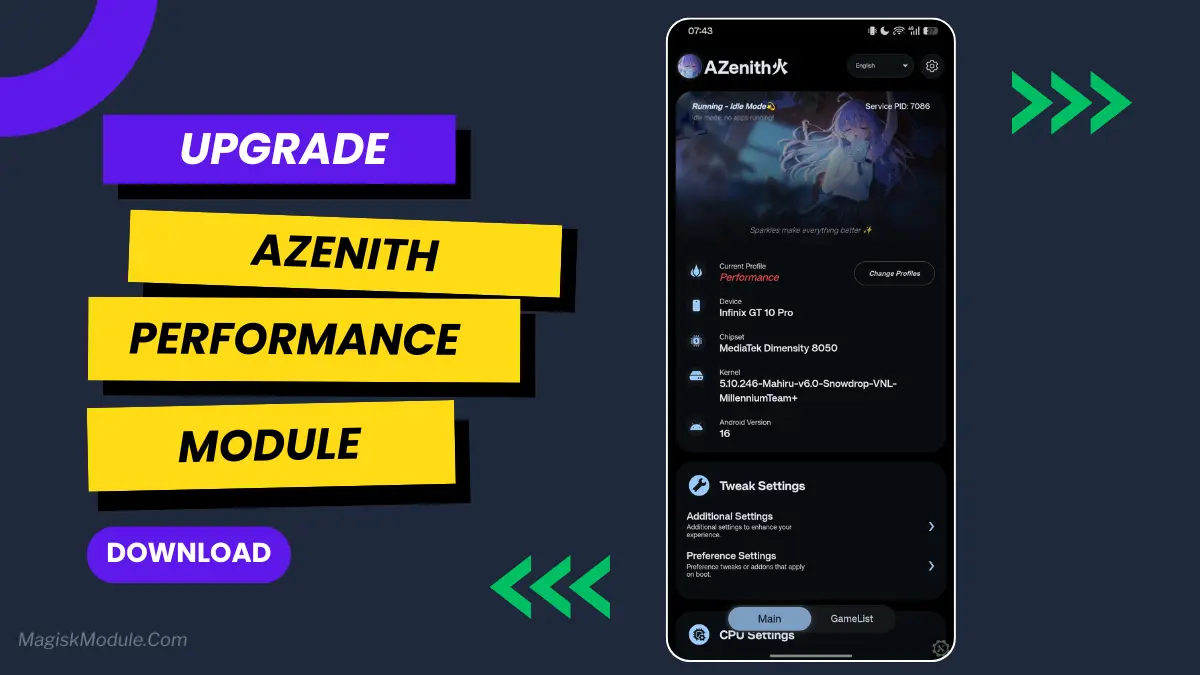
| File Name | AZenith |
|---|---|
| Size | 5.33MB |
| Version | v4.5 |
| Category | Magisk Modules |
| Android requirement | + 6.0 |
| Published By | Liliya2727 | @Zexshia |
| Credit | Here |
| Support | Magisk • KernelSU• KernelSU Next |
Get Link
Step-by-Step Installation:
- Ensure Root Access: The first prerequisite is having root access via a custom recovery.
- Install via Magisk Manager:
- Open the Magisk Manager.
- Tap on the “Modules” section.
- Click “Install from Storage” and locate the geted file.
- Confirm the installation and allow the module to apply the necessary changes.
- Reboot Your Device: After installation, reboot your device to activate the module.
Changelog v4.3
- Implement native parsing for dumpsys and dropped grep and awk filter
- Improve App Process detection by switching from /proc/{}/cmdline to dumpsys activity activities
- Reduced Daemon loops from 5s all condition to 2s and 700ms in-game
- Adjusted Performance Profiles in Lite mode to minimize lag in game scenario
- Update WebUI with a cleaner, and modern layout
- Added support for Monet(Material You) Dynamic Color via Webuix/KSU API
- Reworked Applist settings
- Added Save and Load Config/Presets, Supported in:
• KernelSU 2.1.1
• KernelSU Next CI/Upcoming Updates
• KowSU - Added Custom Banner (same compatibility as load config)
- Update Chipset recognition data with 900+ Entries
- Added Device recognition data with 3000+ Entries
Changelog v4.2
- Added ID, KR, JA, JV, and ZN translation in the WebUI
- Added gpu mali ‘power_policy’ for MediaTek
- Fix an issue where I/O Scheduler setting didn’t show up in some device
- Added AI ThermalCore Service by: @rianixia
- Improve I/O Sched Parser in Initialization
- Improve Game Preload Logic, fixed ram overload if user were in game for too long
- Fixed an issue where performance profile always reapplies if Game Preload is active
- Some refining in the WebUI, make the cleaner looks
- Fully fixed random reboot in WebUI
- Improving log message for better readability.
Changelog v4.0
- Underscale settings now using option based on percentage
- Added light theme on webui(follow system)
- Readded Manual/Idle Mode with new logic
- Expose the Profiler Interface in the daemon | access by running “sys.azenith-profiler 1|2|3”
- Drop “dumpsys” detection to reduce overhead
- Fix CPUfreq limiter to correctly apply the selected frequency
- Reduce loop interval from 15sec to 5sec (45sec if Preload is active)
- Improve logging message for more detailed Information
- Fixed random reboot on WebUI
- Reduced load time when opening WebUI
- Some redesign in the WebUI with new banner, avatar, layout etc…
- Minor optimization in daemon flow…
Changes from AZenith
- Added toggle to Enable and Disable Toast notification
- Added Color Scheme by @Rem01Gaming
- Fix a bug where Color Scheme always reset the value after webui being closed
- Added FPSGO and GED Parameters
- Added I/O scheduling Priority
- Added Memory Killer
An Encore addon magisk module!, Other version of AZenith that using encoreAPI to work, this is a MediaTek AIO Module that can be Combo with Encore!
Notes:
- Compatible with encore 4.5 or Newer
- encore 4.4 or Below doesn’t supported by this module
- Make sure to open WebUI at least once after reboot to reapply color scheme (Just Open, no need to re adjust)
- More Features will be added SOON!