| File Name | Unlimited Photos Storage |
|---|---|
| Size | 303KB |
| Version | 1.0 |
| Category | Magisk Modules |
| Android Requirement | + 6.0 |
| Published By | 𝗠𝗘𝗢𝗪𝗻𝗮 |
| Rating | 4.9 / 5 |
| Flash Via | Magisk, KSU, APatch |
Get Link
Installation Instructions
- Enable magisk’s
built-in Zygiskor flash [ReZygisk] or [ZygiskNext] or [NeoZygisk] module (use any one) - Use any
meta-modulesuch as [Mountify] or [HybridMount] (use any one) - Flash [Unlimited-Photos-Storage] module
- Clear data of
google photosapp (this will be asked on module installation) - Reboot your device
Exceptional Notes:
- It is mandatory for Magisk + ZygiskNext users to disable
Treat noot-root apps as denylisttoggle from ZygiskNext WebUI- It is not necessary to use
metamoduleif you are using magisk’sbuilt-in Zygisk
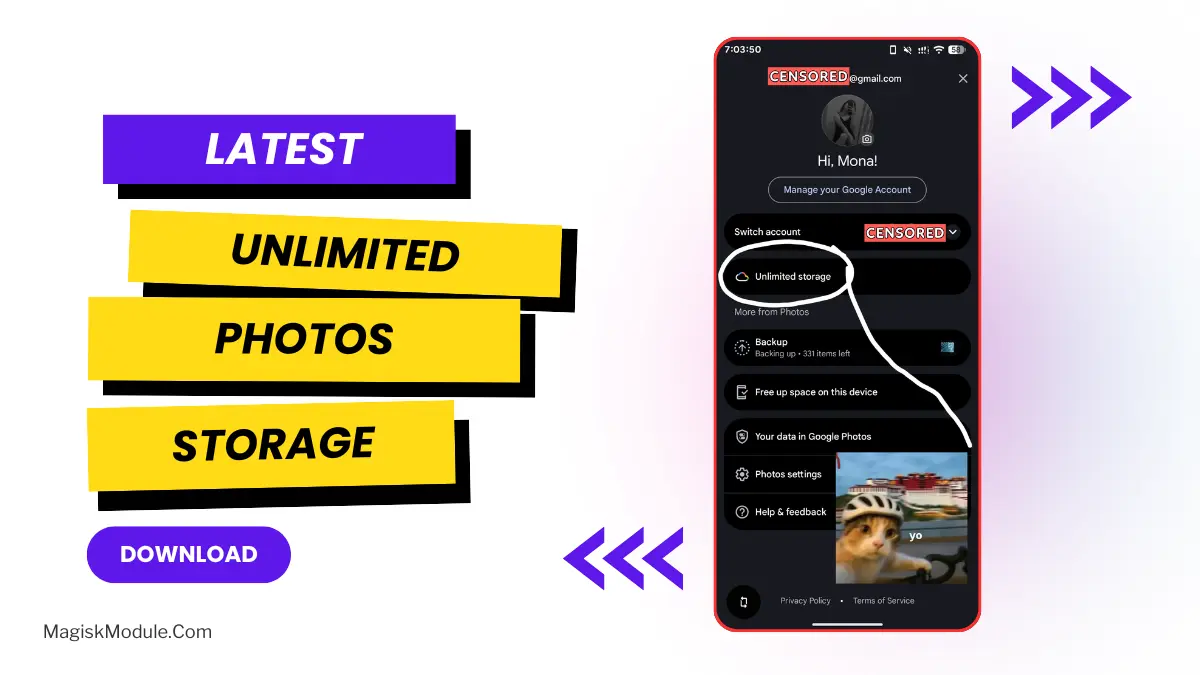
Hitting that 15GB Google Photos cap is always frustrating, especially when you have gigabytes of high-res pictures sitting on your phone. If you are rooted, this module tricks Google into giving your current device the classic unlimited original quality backup perk from the first-generation Pixel.
The tweak relies on Zygisk to inject a specific device spoofing profile directly into the Google Photos app process. Because this spoofing is completely isolated, your actual device ID remains unchanged, meaning your banking and security apps will keep working fine. Once active, Google’s servers simply see your uploads as zero-rate media coming from a legacy Pixel and bypass your standard storage quota entirely.
- Original resolution backups are finally possible without relying on the blurry Storage Saver compression that ruins fine details.
- Saves your 15GB default storage quota since the server flags your account’s incoming uploads as free legacy media.
- Because it’s systemless, you can easily revert to stock at any time without messing up permanent security flags or OTA updates.
- Broad root support means you can run this whether you are currently using Magisk, KernelSU, or APatch.
- Pixel-exclusive editing tools, such as Magic Eraser and Portrait Light, usually unlock alongside the backup storage perk.
I highly recommend grabbing this if you take a ton of photos and already have Zygisk set up on your phone. It’s a massive money-saver that removes the need to pay for a Google One subscription just to back up your camera roll.