| File Name | VIP RVS ULTRA |
|---|---|
| Size | 7.5KB |
| Version | v5.0 |
| Category | Shell Script |
| Android Requirement | + 6.0 |
| Published By | Gailo Willy |
| Rating | 4.9 / 5 |
| Install Via | Brevent/ Qute / Termux |
Get Link
How to Use Non Rooted Phone?
Required Brevent App
- Get the Brevent app or Qute App from the google play store.
- Install the app on your device.
How to setup Brevent app or Qute App on your device
To use Brevent, you’ll need to enable Developer Options on your device:
- Turn on Wifi
- Go to Brevent App
- Tab on Developer Option
- Tap on
- Go to Settings > About Phone.
- Tap Build Number seven times to unlock Developer Options.
- Navigate to Settings > Developer Options and enable USB Debugging.
- Enable Wireless debugging from Developer Option.
- Then again goto the brevent app or Qute App and tap on wireless
debugging port. - Split Screen 1.Developer Option and 2.Brevent app or Qute App
- Goto Wireless debugging and tap on Pair device with pairing code from Developer Option..
- Copy the wifi paired code.
- Put the wireless pairing code in Brevent app and tap on wireless pair
- [Tutorial For Setup Brevent]
How to install the module?
- Download the module on your android.
- Open the Zarchiver app
- Extract the downloaded zip file and Copy folder into your internal storage (e.g. /sdcard/folder).
- Go to Brevent or QUTE app and tap on Exec command from left site.
- Command: Now put on the installation command.
Installing Command
Option 1:"sh /sdcard/RAT🐀/RVS_VIP_MODULE📁.sh"
Option 2:"sh /sdcard/Download/RVS_VIP_MODULE📁.sh"
Option 3:"sh /sdcard/RVS_VIP_MODULE📁.sh"
Option 4:"sh /sdcard/Download/RAT🐀/RVS_VIP_MODULE📁.sh"
Uninstall Command
Get the command txt inside the zip file╔══════════════════════════════════════════════════╗
║ 🔥 VIP RVS ULTRA MODULE 🔥 ║
║ Ultimate Performance Booster ║
╚══════════════════════════════════════════════════╝
🚀 WHAT IS VIP RVS ULTRA? 🚀
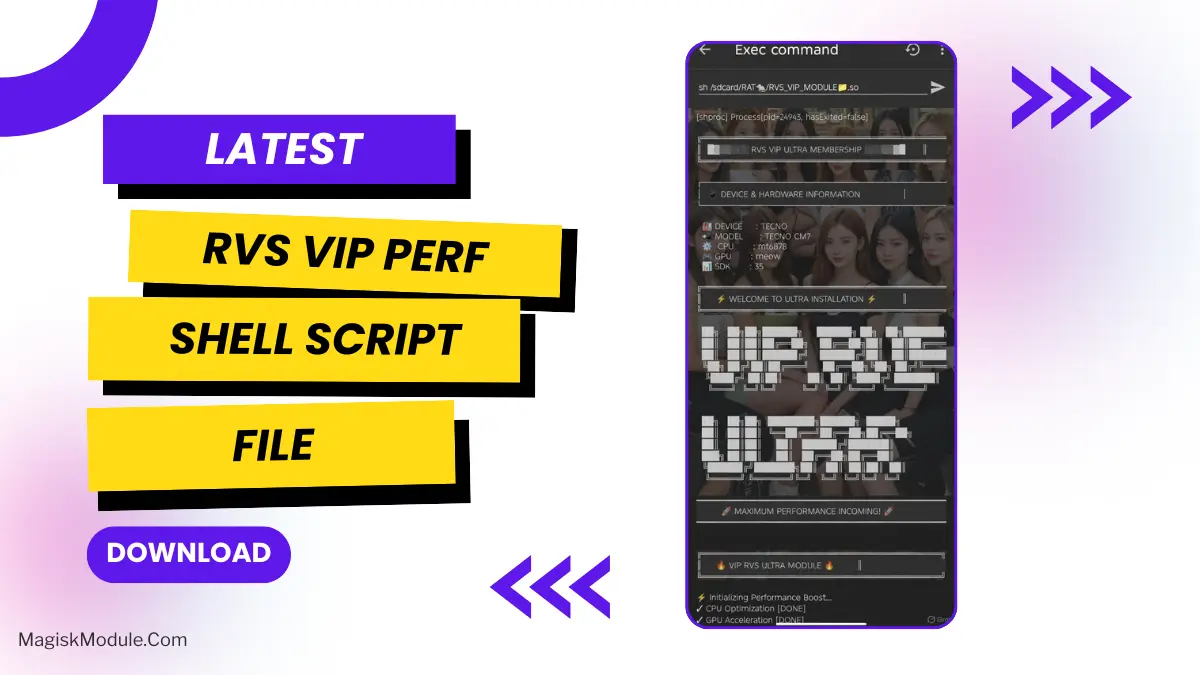
VIP RVS ULTRA is a high quality “performance activation” for your rooted Android device. This is a shell script with a high quality look and feel, designed for the best user experience possible.
- 🎨 Beautiful ASCII art banners and progress bars.
- 📱 Real time display of device information (brand, model, CPU, GPU, SDK)
- 🔔 System notification: “MAX Performance Mode Activated!”
- ⚙️ Hundreds of setprop & settings commands related to your build and your battery.
- High refresh rates (up to 240Hz)
- Animation disabling
- CPU/GPU priority boosts
- Thermal throttling bypass attempts
- Rendering & memory optimizations
🎮 THE EXPERIENCE 🎮
// Create Premium “VIP installation” show.
- Dramatic welcome screens with “ULTRA” branding
- Step-by-step “optimization” progress
- Final confirmation: “All Modules Loaded ✅”
- Warning: “DO NOT REBOOT” (changes are temporary)
⚠️ REALITY CHECK ⚠️
While the graphics and interface look nice and premium, most of the changes were actually just debug flags or placeholder commands that didn’t actually affect newer Android devices. It provides:
- Zero guaranteed performance gains
- Mainly psychological boost + cool aesthetics
- Potential for minor battery drain or instability
This script is made for Gaming communities that want to give their members the feeling of Prestige with some Cinematic boosters and feel elite while playing on devices.
👨💻 Developer: GAILO WILLY
📊 Version: ULTRA MAX 5.0
🌟 Status: Visual Masterpiece / Placebo King
█▓▒▒░░░ Enjoy the show. ░░░▒▒▓█ ▓▓