| File Name | Hyper Dynamic Fps |
|---|---|
| Size | 516KB |
| Version | v1.0 |
| Category | Magisk Modules |
| Android Requirement | + 6.0 |
| Published By | @LIMITGAMING |
| Rating | 4.9 / 5 |
| Flash Via | Magisk, KSU, APatch |
Get Link
Step-by-Step Installation:
- Ensure Root Access: The first prerequisite is having root access via a custom recovery.
- Install via Magisk Manager:
- Open the Magisk Manager.
- Tap on the “Modules” section.
- Click “Install from Storage” and locate the geted file.
- Confirm the installation and allow the module to apply the necessary changes.
- Reboot Your Device: After installation, reboot your device to activate the module.
Anyone else noticed that sometimes your finger swipes and shoots at the exact moment the game freezes up for half a second? It’s like your phone turns against you when you need it to perform the most.
I bought the Hyper Dynamic FPS module and it’s amazing! At first I was worried it would mess up the game but it actually just optimizes it really well for my phone, way better than I was getting before. It really feels like the game is supposed to play like this.
Features
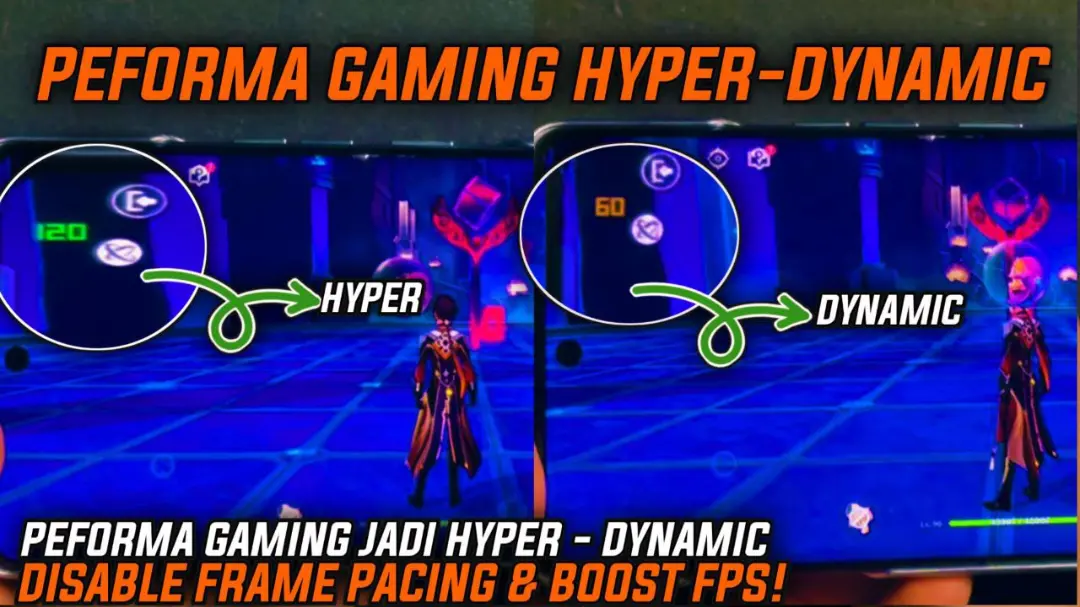
- Buttery-smooth gameplay with seriously stable FPS.
- Low lag and zero frame drops. Good riddance to those annoying stutters.
- Faster touch processing for a more responsive experience.
- Dynamic boosting: Kicks in during heavy action for maximum effect.
- Cooler temperatures even in long gaming sessions.
- Intelligent power consumption for longer game play.
This is essentially an upgrade for your games in a box. It makes playing games smooth again!